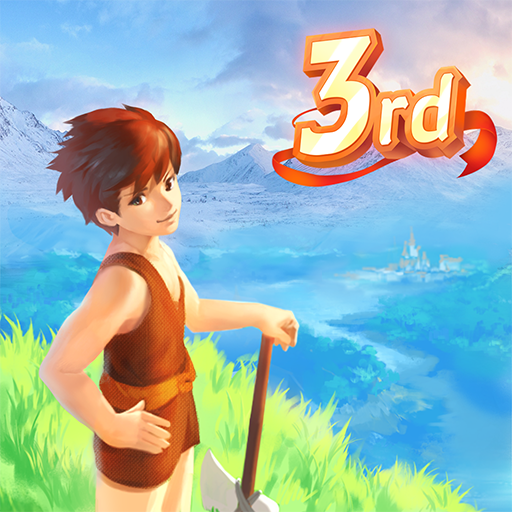
Utopia: Origin
HK Hero Entertainment Co., Limited
v4.0.3
Varies
★★★★☆ 3.7
Clean APK
Trusted App
No Virus
10
Your download is starting...
Please wait while download links are generated.
Download File Details
Package Name
com.herogame.gplay.magicminecraft.mmorpg
Requires Android
Android 6.0+
Architecture
arm64-v8a, armeabi-v7a, x86_64
Version
v4.0.3
Last Updated
Nov 21, 2025
File Size
Varies
Downloads
5,000,000+
License
Free
Scan Result: Secure
0/48 malicious
No security vendors flagged this file as malicious
No Virus
No Malware
No Spyware
APK certificate fingerprints
Verified Official Signature (Passed com.google.android.verifier checks)
SHA-1 Certificate Fingerprint
Verified
9A:36:7B:FF:25:77:0D:14:E8:56:EB:BB:4A:5D:F4:4D:F3:B6:23:6A
SHA-256 Certificate Fingerprint
Verified
91C9A7B9238DE98173EDE16957412FD1A3450101CB856BE165C5A7812311B901
Certificate Owner
Verified
If the signature certificate fingerprint matches the official Google Play version, it is cryptographically impossible for the APK to have been modified, guaranteeing that this APK is completely safe to install.
File Integrity Verification
File SHA-256 Checksum
Verified Safe
1FA5FB410FED5BE177DD0141C57547C11FA5FB410FED5BE177DD0141C57547C1
File MD5 Checksum
Verified Safe
a8d2786c8d82e4de7de44a6a43c806f6
What's New
Here is a brief introduction to this update:
Discover the New Area: Huaxu Galaxy
New Stage - Shenlong Rift
New Stage - Adventurer’s Guild
Shenlong Enhancement
New Area—— Starter's Camp
Pet Adjustments
Step-by-Step Sideloading Guide
1
Enable Unknown Sources
Enable "Install Unknown Apps" in Android security settings.
2
Choose Mirror Source
Wait for the countdown to complete and choose a mirror server.
3
Complete Installation
Install the APK. For split bundles (.apks), use the APKs installer, and for .xapk, use the XAPK Installer.
Frequently Asked Questions
Yes, this APK is 100% safe. The cryptographic signature matches the official developer HK Hero Entertainment Co., Limited's certificate, guaranteeing it is unmodified and safe.
If the file is a split bundle (.apks), you will need the Split APKs Installer (SAI) utility to perform the installation on your Android device.
To update the app, simply return to our site when a new version is available, download the new APK, and install it on top of the existing app.