
Download Sources
Device Configuration
Split APKs Installation Guide
Some apps are distributed as Split APKs (multiple .apk files packaged together) to optimize resources. Standard Android installers cannot open them.
Related Applications


What's New
Fix bugs
About this app
Turn your Android device into a powerful all-in-one emulator hub for PSP, PS1, PS2, NES, GB, GBA, DS, N64 and more.
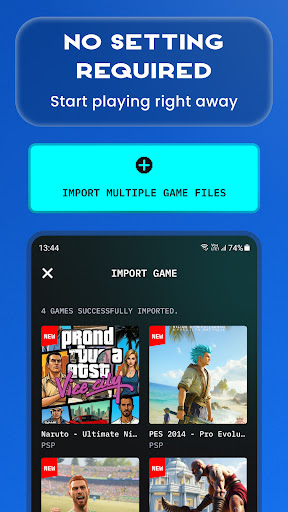
Easily import your own game files, scan your device storage, and enjoy classic console gaming anytime, anywhere. The app is designed to make game importing simple, gameplay smooth, and mobile controls easy to use.
🎮 How to Play
- Prepare your own supported game files.
- Save your game files in your device storage, such as the Downloads folder.
- Open the emulator app and tap Import.
- Scan and load your games.
- Start playing on mobile.
🌟 Key Features
- All-in-one emulator for multiple classic game systems.
- Supports popular ROM formats, including ISO, CSO, PBP, ZIP, RAR and 7Z.
- Play compressed files without unzipping.
- Fast ROM scanning and easy game import.
- Auto save and restore game progress.
- Save and load game states instantly with multiple slots.
- Optimized touch controls for mobile gameplay.
- Multiple controller skins to personalize your experience.
- No BIOS file required.
Whether you love handheld classics, retro console games, or PlayStation-style gameplay, this emulator gives you one place to manage, import and play your own game collection.
Please note: This app does not include any games. Users must provide their own legally owned game files. We also provide a simple guide to help you import and manage your games inside the app.
Download now and enjoy classic console gaming on Android.
Privacy Policy: http://metaverselabs.ai/privacy-policy/
Terms of Use: http://metaverselabs.ai/terms-of-use/
Contact: [email protected]
We are continuously improving the emulator app to bring you a better gaming experience. Your feedback and suggestions are always welcome.
How to Download Gamuroid: Retro Game Emulator APK
- Enter the package name
ai.metaverselabs.psp.ps2.gameemulatoron the APK Downloader homepage. - Select your device architecture (ARM64 recommended for modern devices).
- Click Download to get the merged APK file.
- Transfer and install the APK on your Android device.
- Keep Updated: Visit APK Downloader regularly to search for and download the latest secure versions of your favorite apps.
Security & Signature Verification
This APK download is 100% safe. We verify that the cryptographic signature of the file matches the official developer credentials. No modifications or adware are injected.