
Download Sources
Device Configuration
Split APKs Installation Guide
Some apps are distributed as Split APKs (multiple .apk files packaged together) to optimize resources. Standard Android installers cannot open them.
Related Applications


What's New
- Faster, simpler review flow for reviewers
- Lists now refresh automatically when returning to the lobby and home
- More reliable connection handling (keep-alive recovery)
- Stability fixes and improved report indicators
About this app
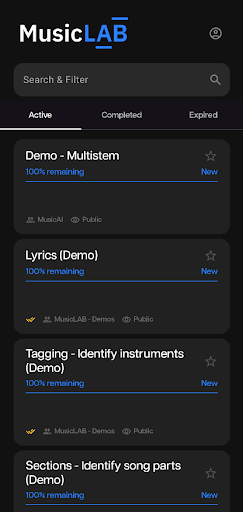
MusicLAB is a platform designed to simplify annotation and subjective evaluation tasks, making it ideal for researchers and companies looking to manage and conduct experiments with multimedia data.
How to Download MusicLAB by Music.AI APK
- Enter the package name
ai.moises.surveyon the APK Downloader homepage. - Select your device architecture (ARM64 recommended for modern devices).
- Click Download to get the merged APK file.
- Transfer and install the APK on your Android device.
- Keep Updated: Visit APK Downloader regularly to search for and download the latest secure versions of your favorite apps.
Security & Signature Verification
This APK download is 100% safe. We verify that the cryptographic signature of the file matches the official developer credentials. No modifications or adware are injected.