

Download Sources
Device Configuration
Split APKs Installation Guide
Some apps are distributed as Split APKs (multiple .apk files packaged together) to optimize resources. Standard Android installers cannot open them.
About This App
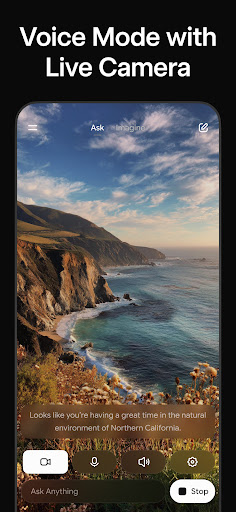
Grok is an AI-powered assistant, developed by xAI, designed to be maximally truthful, useful, and curious. Get answers to any question, generate striking images and videos, engage in natural conversations with voice mode, and upload pictures to gain a deeper understanding of your world. With Grok, the universe is in your hands!
User Reviews

The app was good at first. The imagine feature was fun to use for animations. But when the moderation started becoming strict, the app just went downhill. I sit down and come up the perfect prompt and then Boom. Black banner. denied. I can't even do spicy animations any with images from my gallery anymore. Instead we have to use the ones from the app. Please rethink your decision and bring back the old grok.

I have to give it five stars. Although Im not happy about the limits and moderation unfortunately its better than most other ai rendering platforms. Use the right prompts on Heavy tier you can get over 1,000 pictures a month. Videos tend to eat up your limits. There is no prompt forgiveness so you do waste a lot of your usage if your word or phrase is off. It's kind of an I'll settle for what it gives me app instead of a look what creative thing I did app.

When it works it can do very well. It simply doesn't work most of the time. moderation is extremely tight and you won't even know why it got moderated. it often bugs out and won't make any changes or edits sometimes and requires restarting. The big problem is the sub service is completely useless because you have no consistent rates. some days you'll have access to dozens of generations. other days you'll have access to none. failed or bugged attempts count Stay away, buyer beware.

I don't know really what is going on with the moderation and the limits. Weekly limits, seriously?? Also considers failed generations a part of the limit, like what's happening here? It failed already and still got counted. Paid 30$ for monthly subscription to literally use it for a few days. You should consider your usage limits to be as it was. Other than that, the model would be a nice one.
How to Download Grok AI APK
- Enter the package name
ai.x.grokon the APK Downloader. - Select your device architecture (ARM64 recommended for modern devices).
- Click Download to get the merged APK file.
- Transfer and install the APK on your Android device.
- Keep Updated: Visit APKDER.COM regularly to search for and download the latest secure versions of your favorite apps.
Security & Signature Verification
This APK download is 100% safe. We verify that the cryptographic signature of the file matches the official developer credentials. No modifications or adware are injected.