
Download Sources
Device Configuration
Split APKs Installation Guide
Some apps are distributed as Split APKs (multiple .apk files packaged together) to optimize resources. Standard Android installers cannot open them.
Related Applications






What's New
- Improved app stability and performance
- Fixed minor issues for a smoother experience
About this app
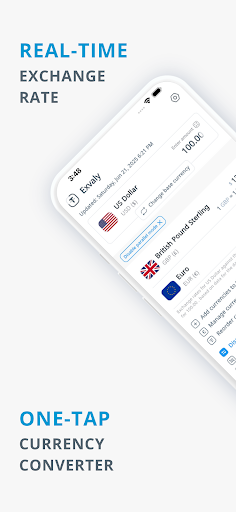
Exvaly is an all-in-one currency converter designed for a fast, smart, and user-friendly experience.
Track real-time exchange rates, convert multiple currencies in a single tap, and explore historical trends — anytime, anywhere.
Whether you're traveling the world, running your own business, or freelancing remotely, Exvaly helps you stay ahead — with smart currency converter tools, and a smooth interface built for your global lifestyle.
Application specifications:
✦ Currency Converter: Fast, smart, simple, and free.
✦ Real-time exchange rates.
✦ Auto-updated rates every minute.
✦ Quick and Direct & Multi-currency conversion support.
✦ Works online and offline.
Exvaly different from the rest:
✕ No Sign-Up Required
✕ No Annoying Ads
App Features:
★ Exchange rate alerts: Set a target exchange rate between two currencies, and we’ll notify you as soon as it’s reached!
★ Virtual Wallet: Track balances in multiple currencies in one place. Enter amounts in different currencies, and the app will auto-calculate the total in your preferred currency.
★ Price Card Detector: Simply scan any price with your camera to get real-time exchange rate info for the product.
★ Currency Gallery: Browse images of banknotes & coins worldwide to help identify currencies.
Converter Features:
✓ 400+ global currencies & cryptocurrencies & metals.
✓ User-friendly interface (supports phones & tablets).
✓ Gold prices (per ounce/gram) in multiple karats.
✓ Built-in calculator for quick calculations.
✓ Fixed number pad for easy input.
✓ Share exchange rates with others.
✓ Historical data since 2000.
✓ Customizable profit margins (buy/sell rates).
✓ Compare today’s rates with yesterday’s.
✓ Advanced currency search.
✓ Favorite currencies list.
✓ Manual currency sorting.
✓ Parallel mode.
Charts & Tables:
✓ Interactive daily chart.
✓ Exchange rate tables (showing lowest, highest and average rates).
✓ Daily comparison table (vs. yesterday).
✓ Compare rates for any period (from 1 week to 6 months).
✓ Quick switching between currencies
Additional Settings:
✓ Decimal customization.
✓ Multiple themes.
✓ Multilingual (20+ languages).
✓ Flag styles (round/rectangular).
✓ Keep the screen on during use.
With Exvaly, you'll have the best currency converter in your pocket, anytime and anywhere!
Don't miss the chance to convert currencies easily and accurately — download it now and stay constantly updated on exchange rates and their fluctuations.
You can find more information on our website: https://exvaly.app
To contact us if you have any questions or concerns, please email us at: [email protected]
How to Download Exvaly: Currency Converter APK
- Enter the package name
app.exvalyon the APK Downloader homepage. - Select your device architecture (ARM64 recommended for modern devices).
- Click Download to get the merged APK file.
- Transfer and install the APK on your Android device.
- Keep Updated: Visit APK Downloader regularly to search for and download the latest secure versions of your favorite apps.
Security & Signature Verification
This APK download is 100% safe. We verify that the cryptographic signature of the file matches the official developer credentials. No modifications or adware are injected.