
Download Sources
Device Configuration
Split APKs Installation Guide
Some apps are distributed as Split APKs (multiple .apk files packaged together) to optimize resources. Standard Android installers cannot open them.
Related Applications


What's New
https://github.com/bitfireAT/icsx5/releases/tag/v2.4.3
About this app
ICSx⁵ allows you to add/subscribe and manage external (Webcal) iCalendar/.ics files on your Android device. One-way sync to your device.
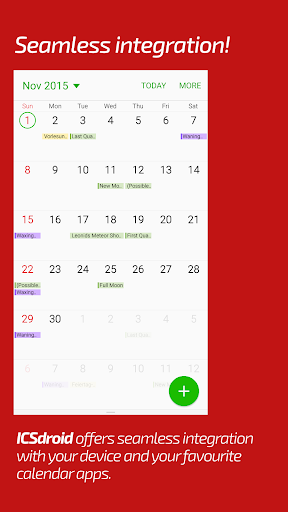
Add high days and holidays, your sports teams events, time tables of your school/university or any other event files that come in ics/ical format. The app will import these events for you and displays it in your favorite calendar app on your Android – it integrates seamlessly into your device. ICSx⁵ uses state-of-the-art technology for synchronization that provides the ability that you always have the most up-to-date version of any added calendar file. All events are perfectly delivered to you devices calendar.
* Subscribe to Webcal feeds (= synchronize at regular intervals) e.g. shared calendars from icloud.com
* You can also pick .ics files from your local device and add its events to your calendar.
* Allows to open webcal:// and webcals:// URLs on your Android web browser
* Seamless integration to other calendar apps
* Set a sync schedule
* Intelligent update checker to save bandwidth
* Authentication and HTTPS supported
We care for your privacy and have high security standards. Therefore we have made ICSx⁵ completely public and open source. No data (neither login data, nor calendar data, nor statistical or usage data) is transferred to anywhere except the chosen server. No Google Calendar or account required.
ICSx⁵ is being developed by open source enthusiasts who have also developed DAVx⁵, the award-winning open-source CalDAV/CardDAV sync adapter for Android.
Our homepage, including configuration info and FAQ: https://icsx5.bitfire.at/
For help and discussion please visit our forums: https://icsx5.bitfire.at/forums/
How to Download ICSx⁵ – Subscribe to calendars APK
- Enter the package name
at.bitfire.icsdroidon the APK Downloader. - Select your device architecture (ARM64 recommended for modern devices).
- Click Download to get the merged APK file.
- Transfer and install the APK on your Android device.
- Keep Updated: Visit APKDER.COM regularly to search for and download the latest secure versions of your favorite apps.
Security & Signature Verification
This APK download is 100% safe. We verify that the cryptographic signature of the file matches the official developer credentials. No modifications or adware are injected.