
Download Sources
Device Configuration
Split APKs Installation Guide
Some apps are distributed as Split APKs (multiple .apk files packaged together) to optimize resources. Standard Android installers cannot open them.
Related Applications




About this app
Create Job Quotes as a Team
Multiple Users & Devices
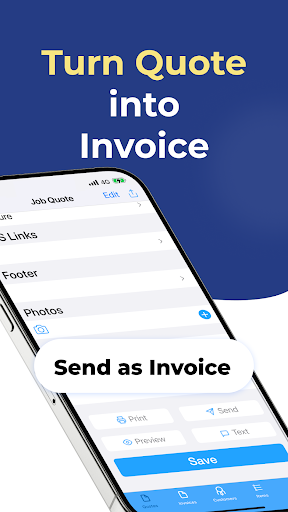
Create and send professional job quotes instantly. Turn quotes into invoices with a single tap and close more business deals faster.
How It Works
* Enter your info
* Add customers manually or import from Contacts
* Add your products or services
You’ll be ready to create and send quotes in just minutes.
Flexibility
* Edit document titles (e.g. Quote → Quotation, Cita, Estimate)
* Customize subtitles (e.g. Billing address → Bill to, Signature → Approved by)
* Support for multiple currencies—manually enter your currency code
* Choose your preferred date format (e.g. 04/18/2014, 18/04/2014, 18/Apr/2014)
* Works offline
* Import or manually add contacts
* Set default or custom payment terms per customer (7 days default)
* Supports decimal hours or quantities
* Choose from five beautifully designed templates
* Swipe left to delete items (quotes, products, customers)
* Edit existing quotes at any time
* Add signature and date on the spot
* Fields like icons, notes, and comments will be hidden if left empty
* Preview quotes before sending
* Send quotes as PDFs or print wirelessly
* Export data as CSV
* Compatible with all languages
* Add custom background images
* Create up to 5 quotes for free
Professional Features
* Add your business registration name (e.g. ABN) and number
* Tax setup options (no tax, single tax, compound tax)
* Apply discounts (fixed amount or percentage)
* Define payment terms (Immediate, 7 days, up to 180 days)
* Add your company logo to quotes
Mobility
* Send quotes directly from iPhone or iPad
* Keep your quoting system in your pocket
### Upgrade to Subscription Version
The subscription version includes cloud sync and backup so you can store and access all your data across multiple iOS devices.
Subscription requires auto-renewal.
Payment will be charged to your Apple ID at the time of purchase.
The subscription renews automatically unless canceled at least 24 hours before the end of the current billing period.
Your account will be charged for renewal within 24 hours before the period ends.
Manage or cancel your subscription anytime in your App Store account settings.
Links to Privacy Policy and Terms of Use:
http://www.btoj.com.au/privacy.html
http://www.btoj.com.au/terms.html
Please feel free to contact us for any questions.
Simplify your life now.
How to Download Job Quote Maker APK
- Enter the package name
au.com.btoj.jobquotemakeron the APK Downloader homepage. - Select your device architecture (ARM64 recommended for modern devices).
- Click Download to get the merged APK file.
- Transfer and install the APK on your Android device.
- Keep Updated: Visit APK Downloader regularly to search for and download the latest secure versions of your favorite apps.
Security & Signature Verification
This APK download is 100% safe. We verify that the cryptographic signature of the file matches the official developer credentials. No modifications or adware are injected.