


Version
1.1
Downloads
1+
Updated
Mar 16, 2026
Developer
Parker Technology Services
Category
Productivity
Content Rating
Everyone
Package
co.median.android.mbbojmb
Platform
Android
Download Sources
Device Configuration
Split APKs Installation Guide
Some apps are distributed as Split APKs (multiple .apk files packaged together) to optimize resources. Standard Android installers cannot open them.
1.
Download Split APKs Installer (SAI) from Google Play Store.
2.
Download the app archive (.apks) using the download sources listed above.
3.
Open SAI, click "Install APKs", choose the downloaded archive, and click Install.
About This App
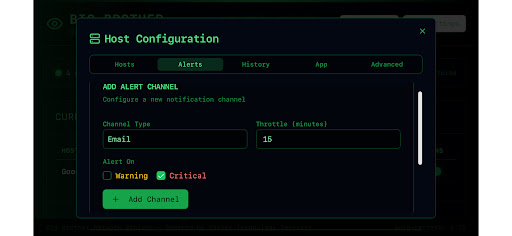
Full featured Network Monitoring software suite. Scalable for Network Admins on the go, or a hobbyist who wants to monitor the health of their gaming computers. Comes with standard Network Service tests, as well as configurable Agent to send workstation and server metrics (CPU utilization, RAM usage, and Hard Disk capacity) to the Monitoring App. Simple, green=good and red=bad visual indication.
How to Download Big Brother Network Monitor APK
- Enter the package name
co.median.android.mbbojmbon the APK Downloader. - Select your device architecture (ARM64 recommended for modern devices).
- Click Download to get the merged APK file.
- Transfer and install the APK on your Android device.
- Keep Updated: Visit APKDER.COM regularly to search for and download the latest secure versions of your favorite apps.
Security & Signature Verification
This APK download is 100% safe. We verify that the cryptographic signature of the file matches the official developer credentials. No modifications or adware are injected.


