
Download Sources
Device Configuration
Split APKs Installation Guide
Some apps are distributed as Split APKs (multiple .apk files packaged together) to optimize resources. Standard Android installers cannot open them.
Related Applications




What's New
Technical improvements and bug fixes have been made in the background.
About this app
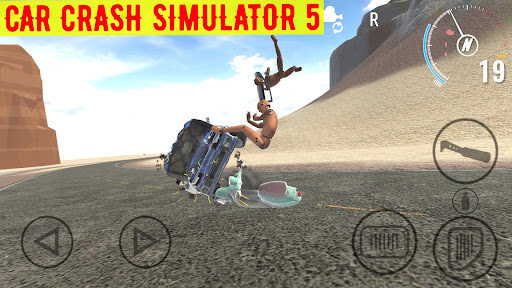
Welcome to the adrenaline-pumping world of Car Crash Simulator 5, brought to you by the creators of the Car Crash And Accident and Real Drive game series, Hittite Games! Get ready to embark on a thrilling ride where you can unleash chaos with 78 different vehicles at your disposal, including buses, trucks, classic cars, sports cars, and rugged jeeps.
Whether you prefer weaving through heavy traffic on a bustling three-lane highway or exploring the serenity of rural landscapes, Car Crash Simulator 5 lets you create spectacular traffic accidents with a touch of realism. You can defy gravity by sending your car off a towering mountain cliff, collide head-on with a speeding train, or even indulge in a chain reaction of crashes by daringly racing buses and trucks on a challenging track.
If the allure of realistic car, truck, and bus mayhem has captured your imagination, waste no time and download Car Crash Simulator 5 right away!
IGRS Rating (Indonesia): 13+
How to Download Car Crash Simulator 5 APK
- Enter the package name
com.HittiteGames.CarCrashSimulator5on the APK Downloader homepage. - Select your device architecture (ARM64 recommended for modern devices).
- Click Download to get the merged APK file.
- Transfer and install the APK on your Android device.
- Keep Updated: Visit APK Downloader regularly to search for and download the latest secure versions of your favorite apps.
Security & Signature Verification
This APK download is 100% safe. We verify that the cryptographic signature of the file matches the official developer credentials. No modifications or adware are injected.