
Download Sources
Device Configuration
Split APKs Installation Guide
Some apps are distributed as Split APKs (multiple .apk files packaged together) to optimize resources. Standard Android installers cannot open them.
Related Applications




What's New
Global release is here — thank you for being part of our journey.
About this app
Roguelike action, RPG progression, and intense survival—are you ready for the adventure?
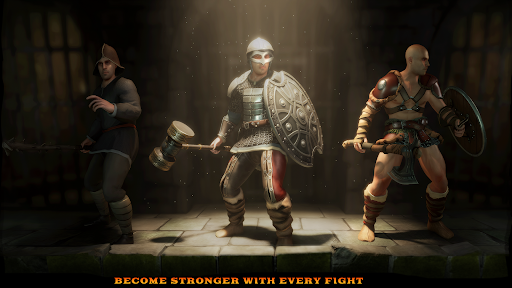
Dive into a thrilling dungeon crawler RPG where every run is a new challenge! Face powerful boss fights, collect legendary loot, and customize your hero with unique skills. Survive dangerous traps, uncover hidden treasures, and test your strategy in intense roguelike battles.
🔥 Key Features:
Procedurally generated dungeons for endless exploration
Fast-paced hack & slash combat against terrifying monsters
Upgrade weapons, armor, and abilities to build your perfect warrior
Classic roguelike mechanics with deep RPG progression
Epic boss battles and challenging survival gameplay
Collect rare loot and forge legendary gear
Are you ready to conquer the dungeons and become a legend? Download now and start your adventure!
How to Download Blade of Shadows APK
- Enter the package name
com.Tequilabyte.BladeOfShadowson the APK Downloader homepage. - Select your device architecture (ARM64 recommended for modern devices).
- Click Download to get the merged APK file.
- Transfer and install the APK on your Android device.
- Keep Updated: Visit APK Downloader regularly to search for and download the latest secure versions of your favorite apps.
Security & Signature Verification
This APK download is 100% safe. We verify that the cryptographic signature of the file matches the official developer credentials. No modifications or adware are injected.