
Download Sources
Device Configuration
Split APKs Installation Guide
Some apps are distributed as Split APKs (multiple .apk files packaged together) to optimize resources. Standard Android installers cannot open them.
Related Applications


What's New
Performance improvements and bug fixes
About this app
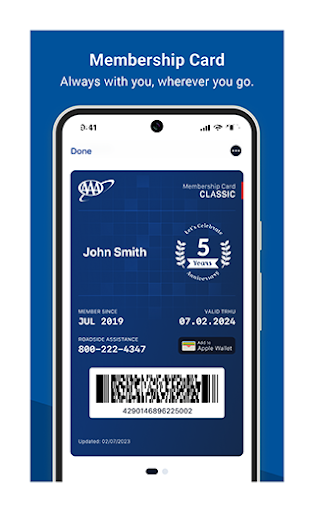
AAA Mobile improves on-the-go access to trusted AAA services including travel planning tools, discounts and rewards, and roadside assistance. The mobile version of AAA’s TripTik® Travel Planner helps you find and get directions to AAA Approved and Diamond Rated hotels, restaurants and attractions, and the ability to create and share trips between your desktop and mobile devices.
KEY FEATURES INCLUDE:
Maps & Discounts
• Find more than 59,000 AAA Approved and Diamond Rated hotels and restaurants
• Book your next hotel or rental car
• Save with member discounts at over 164,000 locations
• Share saved trips across desktop and mobile devices*
• Find AAA Approved Auto Repair facilities, AAA office locations, and cheapest gas prices near you
Roadside Assistance*
• Request a tow with Roadside Assistance
• Get instant battery replacement quotes (not available in all areas)
The AAA Mobile App collects and discloses to third parties your personal information for the purposes of operating, managing, and improving our app and the services on the app. We may also use cookies and various other tracking technologies for assisting our marketing campaigns and to provide personalized content and advertising.
COMMENT
We welcome your input, and will give careful consideration to your thoughts as we improve the AAA Mobile app for your use.
REPORT AN ISSUE
If you find AAA Mobile not operating optimally, use the Send AAA Feedback button in the app to request assistance.
*You must be a current AAA member to use these features.
Not a member? You can still use our unparalleled trip planner functions. To take full advantage of all the features of this app, Join AAA.
How to Download AAA Mobile APK
- Enter the package name
com.aaa.android.discountson the APK Downloader homepage. - Select your device architecture (ARM64 recommended for modern devices).
- Click Download to get the merged APK file.
- Transfer and install the APK on your Android device.
- Keep Updated: Visit APK Downloader regularly to search for and download the latest secure versions of your favorite apps.
Security & Signature Verification
This APK download is 100% safe. We verify that the cryptographic signature of the file matches the official developer credentials. No modifications or adware are injected.