

AGC ToolKit Pro APK Screenshots


AGC ToolKit Pro App Information
Download Sources
Device Configuration
Old Versions of AGC ToolKit Pro
| Version | Size | Min OS | Architecture | Release Date | Action |
|---|---|---|---|---|---|
| v6.6.3 | 37.9 MB | Android 24+ | arm64-v8a |
Feb 3, 2026 | Download |
Split APKs Installation Guide
Some apps are distributed as Split APKs (multiple .apk files packaged together) to optimize resources. Standard Android installers cannot open them.
What's New in AGC ToolKit Pro
- Minor improvements and bug fixes
About AGC ToolKit Pro
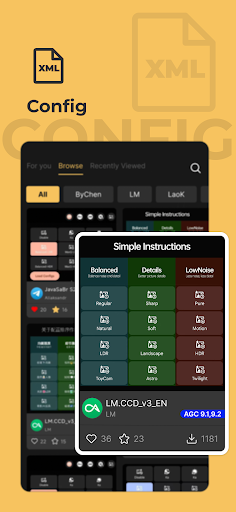
AGC ToolKit Pro is use for share LUT、apply LUT to photo、apply watermark to photo、adjust gcam configurations、view gcam bookmarks
User Reviews

This app is exactly what I've been looking for, for a long time. To be able to utilize my luts from Darktable on a device that's always in my pocket will enhance the way I do editing. A suggestion for one of your updates. As a photographer, exif data is VERY essential. The app shouldn't strip off that data when saving files. I still give a five star rating for the good work your team has done.

would be 5 stars but since i download alot of these it comes quite a bit crowded. therefore i am considering modding gcam to use my own lut method however this wouldnt be an issue if you limited the lut category e.g film, to one or two max so one lut isnt in 5 pages or even let us select what categories they go into. id also like custom folders in the app of certain luts so we can put items into folder & find a lut we like and sort ones we like, best use, result, etc. feel free to email meformor

I paid for the pro version thinking of giving more presice controls. To my disappointment, didn't. While some features like luts are nice, the manual edit controls needs a lot of work, specially when moving sliders to increase or decrease values. This app is promising, but again, needs work to be done.

The latest update removes the default packages in Filter section, I cannot edit my photos in it because the configs are gone. I paid for this premium version of AGC Toolkit Pro so I can tweak my photos in it but all I can do now was adding watermark, that's it.
How to Download AGC ToolKit Pro APK
- Enter the package name
com.agc.toolKiton the APK Downloader. - Select your device architecture (ARM64 recommended for modern devices).
- Click Download to get the merged APK file.
- Transfer and install the APK on your Android device.
- Keep Updated: Visit APKDER.COM regularly to search for and download the latest secure versions of your favorite apps.
Frequently Asked Questions
Yes! Every APK download provided by APKDER undergoes rigorous security verification. We verify that the cryptographic signature of the APK file matches the official signature from the developer, ensuring the APK is original, untouched, and free from any modifications.
To install it, you first need to enable "Unknown Sources" in your Android device's security settings. After downloading the APK file from APKDER, tap it to begin the installation and follow the on-screen prompts.
Yes! As soon as the developer releases a new version of AGC ToolKit Pro, we will update and provide the updated APK on APKDER. You can simply download and install the new APK over the existing installation without losing your app data.
Yes. APKDER allows you to bypass geographic restrictions and download official APK files directly, even if the app or game is not officially available in your country's store.
A standard APK is a single installation package. An XAPK or Split APK contains multiple resource files (like OBB expansions or device-specific layout parts) packaged together. To install them, you can download splits individually or use dynamic helper tools like Split APKs Installer (SAI).
Security & Signature Verification
This APK download is 100% safe. We verify that the cryptographic signature of the file matches the official developer credentials. No modifications or adware are injected.


