
Download Sources
Device Configuration
Split APKs Installation Guide
Some apps are distributed as Split APKs (multiple .apk files packaged together) to optimize resources. Standard Android installers cannot open them.
Related Applications



What's New
Thanks for choosing the Amtrak app. We continue to fix bugs and improve the experience. Please check for updates frequently to take advantage of the improvements.
About this app
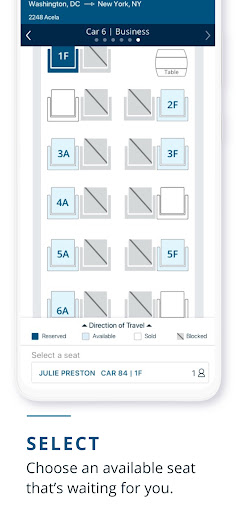
Discover the convenience of traveling with Amtrak. With the Amtrak app you can get simple and intuitive access to all the travel information you need, whenever you need it.
• Show your eTicket while onboard, including multi-ride and monthly passes - no need to print
• Purchase one-way, roundtrip, multi-ride and monthly tickets with dollars or Amtrak Guest Rewards points
• Check train status
• Find station information
• Edit and manage your account profile
• Save credit cards for quick checkout
• And so much more...
With the Amtrak app, you can do it all right from your smart device.
How to Download Amtrak APK
- Enter the package name
com.amtrak.rideron the APK Downloader homepage. - Select your device architecture (ARM64 recommended for modern devices).
- Click Download to get the merged APK file.
- Transfer and install the APK on your Android device.
- Keep Updated: Visit APK Downloader regularly to search for and download the latest secure versions of your favorite apps.
Security & Signature Verification
This APK download is 100% safe. We verify that the cryptographic signature of the file matches the official developer credentials. No modifications or adware are injected.