




Download Sources
Device Configuration
Old Versions of Share Apps: APK Share & Backup
Split APKs Installation Guide
Some apps are distributed as Split APKs (multiple .apk files packaged together) to optimize resources. Standard Android installers cannot open them.
What's New
We’re constantly making this app better. Find new features and enhancements in this release, along with a few fixes.
About This App
Apps Sharing – Transfer APK, Backup & App Sharing.
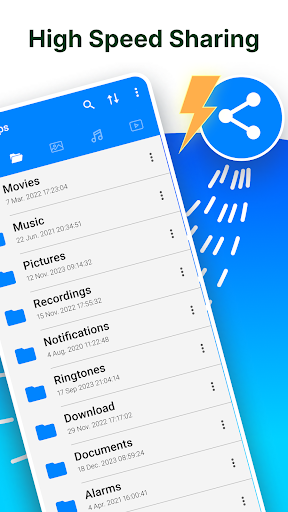
Share Apps instantly! Do you have friends that you want to easily and conveniently share apps with? ⭐ Check out Share Apps - APK Transfer, App Sharing & Backup! You can share app links or APK files with amazing ease. Wi-Fi, Bluetooth, or cloud services like Google Drive, Dropbox, and Facebook can all be used for sharing. Sharing has never been easier, discover why this is a go-to tool to share apk files.
📶 No Internet? No Problem! Sharing Offline is super easy. Transfer apps virtually anywhere via Bluetooth. Just put the phones within 1 cm of each other and let the devices work their magic. Powerful app to share apk files!
Now you can easily share faster and share easier!! 🚀 Download Share Apps - APK Transfer, App Sharing & Backup and experience seamless app sharing on the go.
⭐ Powerful Features of Share Apps Tool You’ll Love: ⭐
- Share All In One Place – Open, Back up, Switch, Share or even uninstall everything from one app.
- Send In One Click – Share multiple apps at once.
- Backup Thunder- Transfer or Copy apps into your SD card or upload them to the cloud.
- Quick Launch – Open any app directly from the share list.
- Easy Blue Squirrel – You can remotely remove apps without truly exiting the program.
Pro tip: Want to share multiple apps at once? Just hold down on any app to enable batch selection!
✅ Direct Play Store Links: Share a link directly to any of your favorite apps.
✅ Intuitive Interface: There is no learning curve. Start using it right after you set up.
✅ Smart: Transfer your data from an old phone to a new one.
Start using Share Apps - APK Transfer, App Sharing & Backup today and take full control of your apps. 📲 Don’t wait—start sharing smarter, faster, and easier!
User Reviews

Have tested this app briefly, and it looks okay. However, what is definitely not okay is the fact that you essentially have to subscribe to get the Pro version. You're not given the option of a one-time payment (should *always* be an option!), instead you're expected to pay a staggering $129/yr., which is just pure insanity for what is a fairly simple app. Back when it was maintained, I used the brilliant Alpha Backup, which had a one-time payment option and a very fair price.

Excellent, UNbloated, very intuitive, easy to use app with many different protocols to support many of the most popular destinations. if your destination isn't listed, don't worry :) "Create Link," is, and so far. works flawlessly. I never have to use Google Photos ever again. Excellent work, Dev Team! You got this one ALL the way Right!

Did not even show the app I was looking to share. A lot of trouble to go thru to have to sign up with method of payment and (3) day trial not knowing if I will get charged or not. I have about (165) apps on my phone. I didn't count the actual number of apps shown but it didn't look near (165). The e- mail contact under developer contact is different than the e-mail address under another post, suspicious!

Pretty speedy. When sending, it will use send options available in your phone like Quick share, Bluetooth, NFC... It doesn't need the same app on another phone. Very handy for sending app installers that may no longer be available on Google play store. Minimal ads yet well positioned.
How to Download Share Apps: APK Share & Backup APK
- Enter the package name
com.appshare.shrethis.appshareon the APK Downloader. - Select your device architecture (ARM64 recommended for modern devices).
- Click Download to get the merged APK file.
- Transfer and install the APK on your Android device.
- Keep Updated: Visit APKDER.COM regularly to search for and download the latest secure versions of your favorite apps.
Frequently Asked Questions
Yes! Every file hosted on APKDER undergoes rigorous security verification. We verify that the cryptographic signature matches the official signature from the developer, ensuring the app hasn't been modified or tampered with.
To install it, you first need to enable "Unknown Sources" in your Android device's security settings. After downloading the APK file from APKDER, tap it to begin the installation and follow the on-screen prompts.
Yes! As soon as the developer releases a new version of Share Apps: APK Share & Backup, we will scrape and post the updated APK on APKDER. You can simply download and install the new APK over the existing installation without losing your app data.
Security & Signature Verification
This APK download is 100% safe. We verify that the cryptographic signature of the file matches the official developer credentials. No modifications or adware are injected.


