

Voice Screen Lock APK Screenshots



Voice Screen Lock App Information
Download Sources
Device Configuration
Split APKs Installation Guide
Some apps are distributed as Split APKs (multiple .apk files packaged together) to optimize resources. Standard Android installers cannot open them.
About Voice Screen Lock
Voice Screen Lock - Unlock Soundapp, unlock phone screen with your voice. Speak the word, unlock sound to your phone, and it will unlock phone. 👄🔊🔓📱
Say goodbye to traditional PINs, patterns, or fingerprint scans, and welcome the future of phone security with the voice code lock screen.
An innovative way to unlock phone – with the power of your voice. Set a voice password and use it as a voice code lock screen.
The voice home screen lock works entirely offline and does not need an internet connection.
With the Speak Lock app, you can command your phone to unlock the screen.
Voice home screen lock tool is a fast speak lock that works with your voice commands, which makes your phone unique from others. Also, we have provided a keypad lock screen method and pattern screen lock method within this app.
Voice Screen Lock - Unlock Sound Features:
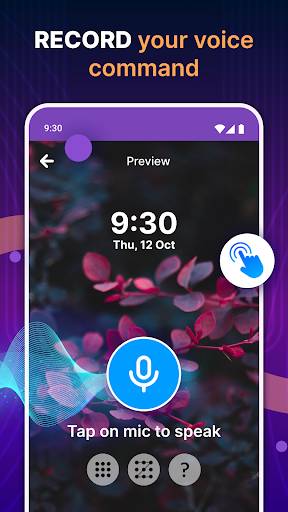
👄🔊 Enable speak lock with a single click on the microphone and set the voice home screen lock.
👄🔊 Pin & Pattern Lock option.
Unlocking your phone has never been this easy, secure, and convenient. Voice Screen Lock - Unlock Sound app offers a unique approach to phone security.
Advanced Voice Recognition Technology
This app utilizes state-of-the-art voice recognition technology to ensure the highest level of accuracy. It recognizes your voice patterns with precision, making it a secure and dependable unlocking method.
Unlock Sound Personalization
You can choose the unlock sound that suits your style and preferences. Make unlocking your phone a unique and enjoyable experience.
Your phone is an essential part of your daily routine, and ensuring it's secure while being user-friendly is vital.
Speak to unlock!
User Reviews

It was working for some time but now it just gave up, idk what happened but it just opens the app, not the lock cuz I used the voice screen lock function and it was working before but it just stopped now, idk if it's a bug or a one time thing but it's completely random which is why I'm giving it 4 stars instead of 5

4 star because app working properly but the problem is if you do not disable biometric then you have to unlock your phone 2 Times every instance when you want to unlock your phone, first by your biometric then by voice.. this is very hepatic, and remember if you disable biometric then your finger print is remove from the phone and any for app like banking app, secure folder etc which uses your finger print authentication you have to register your finger print again..

yes..!! this is the correct nice screen lock app I've been searching for.. it's really good, Joke apart I really enjoyed this app.. it not that I'm adding to much salt.. it really nice, you don't have to pay for any credit card unlike the one I downloaded before this.. I'm a person that if the app functions well I'll rate it all buh if it not..I won't well.. I'd love you to try it, really good.. I can even show a screenshot on my phone to show that it really working well. thank you

My experience is about Education I want to learn more things base on technical instructions phone mechanism and many more I want to learn so many things, things that will will make me to be beneficial all about learning is when you put more seriousness base on what you want to know you have to be focuse and pay attention on what you are doing and also this app is good for me to understand because it makes me to learn more about apps this app is very important a that can protect your phone etc
How to Download Voice Screen Lock APK
- Enter the package name
com.awesomeapps.voicescreenlock.pin.pattern.lockscreen.voicelockon the APK Downloader. - Select your device architecture (ARM64 recommended for modern devices).
- Click Download to get the merged APK file.
- Transfer and install the APK on your Android device.
- Keep Updated: Visit APKDER.COM regularly to search for and download the latest secure versions of your favorite apps.
Frequently Asked Questions
Yes! Every APK download provided by APKDER undergoes rigorous security verification. We verify that the cryptographic signature of the APK file matches the official signature from the developer, ensuring the APK is original, untouched, and free from any modifications.
To install it, you first need to enable "Unknown Sources" in your Android device's security settings. After downloading the APK file from APKDER, tap it to begin the installation and follow the on-screen prompts.
Yes! As soon as the developer releases a new version of Voice Screen Lock, we will update and provide the updated APK on APKDER. You can simply download and install the new APK over the existing installation without losing your app data.
Yes. APKDER allows you to bypass geographic restrictions and download official APK files directly, even if the app or game is not officially available in your country's store.
A standard APK is a single installation package. An XAPK or Split APK contains multiple resource files (like OBB expansions or device-specific layout parts) packaged together. To install them, you can download splits individually or use dynamic helper tools like Split APKs Installer (SAI).
Security & Signature Verification
This APK download is 100% safe. We verify that the cryptographic signature of the file matches the official developer credentials. No modifications or adware are injected.


