
MyBSWHealth APK Screenshots




MyBSWHealth App Information
Download Sources
Device Configuration
Split APKs Installation Guide
Some apps are distributed as Split APKs (multiple .apk files packaged together) to optimize resources. Standard Android installers cannot open them.
About MyBSWHealth
Baylor Scott & White’s newly redesigned MyBSWHealth app gives you the ability to manage all of your healthcare needs.
With the redesigned app, you can:
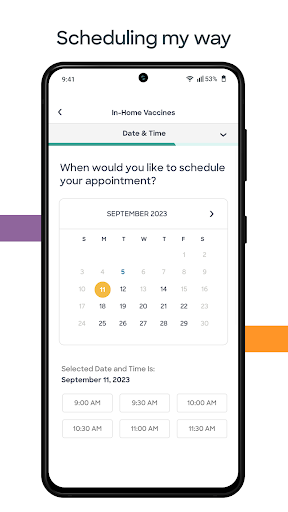
• Find doctors in your network and schedule appointments with ease
• Securely communicate with your care team
• Complete a telehealth visit and get a diagnosis on your smart phone without leaving home
• View lab results and past visit summaries
• Review and pay bills
• View deductible, out of pocket max, and claims information if you are a member of the Scott and White Health Plan
• Manage your family’s healthcare needs from a single place
The MyBSWHealth app is just one way that Baylor Scott & White is making healthcare the way it should be.
User Reviews

Great when it works. It often does not work. When you are in the hospital it has an in hospital special portion. That disappeared while I was still there and I lost access to all the features as well as messages and test results. Extremely inconvenient. edit: turns out connecting to the hospital WiFi does not let you access that portion. Disconnecting fixed it. That is a bad design.

I like the app because I have access to my medical records and tests. What I'm disappointed in, is the inability to make payments on this app. It is very frustrating to enter a your payment information but then do not have the option to continue or submit. Something is very wrong when your only option is to cancel or go back. Of course, if you go back all your payment info is removed and the Circle starts a over again. I have reported this on several occasions to billing to no avail.

Tried to login and the app wouldn't recognize my username or password. Both were typed correctly for my account. Tech support could not help. There are only so many times they can reset my password before they have to realize that "hey, maybe there is something wrong with the app". Then I scroll down the list of comments here and see I'm not the only one.

This app even after all the work done on it is still cumbersome. It's still too difficult to just bring up and look at your records and it shouldn't be that difficult! I should be able to navigate to a specific appointment and see everything that was generated (any and all care documents and such) and pull them up individually and then download them if I wish from that point. There are other issues too.
How to Download MyBSWHealth APK
- Enter the package name
com.baylorscottandwhite.healthsourceon the APK Downloader. - Select your device architecture (ARM64 recommended for modern devices).
- Click Download to get the merged APK file.
- Transfer and install the APK on your Android device.
- Keep Updated: Visit APKDER.COM regularly to search for and download the latest secure versions of your favorite apps.
Frequently Asked Questions
Yes! Every APK download provided by APKDER undergoes rigorous security verification. We verify that the cryptographic signature of the APK file matches the official signature from the developer, ensuring the APK is original, untouched, and free from any modifications.
To install it, you first need to enable "Unknown Sources" in your Android device's security settings. After downloading the APK file from APKDER, tap it to begin the installation and follow the on-screen prompts.
Yes! As soon as the developer releases a new version of MyBSWHealth, we will update and provide the updated APK on APKDER. You can simply download and install the new APK over the existing installation without losing your app data.
Yes. APKDER allows you to bypass geographic restrictions and download official APK files directly, even if the app or game is not officially available in your country's store.
A standard APK is a single installation package. An XAPK or Split APK contains multiple resource files (like OBB expansions or device-specific layout parts) packaged together. To install them, you can download splits individually or use dynamic helper tools like Split APKs Installer (SAI).
Security & Signature Verification
This APK download is 100% safe. We verify that the cryptographic signature of the file matches the official developer credentials. No modifications or adware are injected.


