


Download Sources
Device Configuration
Split APKs Installation Guide
Some apps are distributed as Split APKs (multiple .apk files packaged together) to optimize resources. Standard Android installers cannot open them.
What's New
- New: video support (beta)
- Fixed an issue where display effects could get stuck instead of repeating during slideshows
About this app
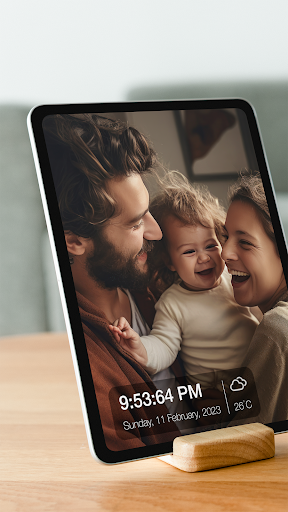
Photo frame & slideshow for Dropbox, Google Drive, Google Photos, OneDrive, etc
User Reviews

I was using another screen saver app on my two Android TV miboxs using LAN/SMB as a source. For some reason it wouldn't rotate images that require rotation. This app rotates them fine and also includes additional features like displaying current weather and detailed address where the photo was taken. Awesome app. 5 stars easy. EDIT 2/28/26: Pan issue has been fixed! Wow, fixed in 3 days! Thank you! Nice to have if the videos showed locations as well like the photos do!

It forces a 5 min break every 5-10 min to try and get you to purchase the premium version. also doesn't see created albums in the gallery app and requires you to create a file in your internal storage if you want to customize the exact photos you want to see I didn't try connecting Google photos or one drive so I can't speak on that. 2 stars because at least its not a subscription service for premium. still dumb though and I would rather have photo limit cap then a 5 min break every 5-10 mins.

Awesome App! Bought the Premium version several years ago and use it on a Lenovo M10 tablet I have in my bedroom on a stand accessing over 60,000 images through SMB to a Synology NAS on my network. When I bought the premium version it was only $1.99, LOL! But seriously, if you are looking for just a "photo frame" app to slideshow pics that just works and don't need editing, AI or any other capabilities, this one can't be beat! Definitely worth it (even at $25)!

One of the only photo frame apps available. I wanted to use it on an old tablet that I am converting to a photo frame. I like that it has a scheduling feature. I wish the app had the option to select photos by exif data tags, so that the same photo could be in multiple "albums". The upgrade button doesn't work/do anything, so I am unable to get rid of the breaks and limited number of skips, which is annoying.
How to Download Fotoo - Photo Frame Slideshow APK
- Enter the package name
com.bo.fotooon the APK Downloader. - Select your device architecture (ARM64 recommended for modern devices).
- Click Download to get the merged APK file.
- Transfer and install the APK on your Android device.
- Keep Updated: Visit APKDER.COM regularly to search for and download the latest secure versions of your favorite apps.
Security & Signature Verification
This APK download is 100% safe. We verify that the cryptographic signature of the file matches the official developer credentials. No modifications or adware are injected.


