
Download Sources
Device Configuration
Split APKs Installation Guide
Some apps are distributed as Split APKs (multiple .apk files packaged together) to optimize resources. Standard Android installers cannot open them.
Related Applications


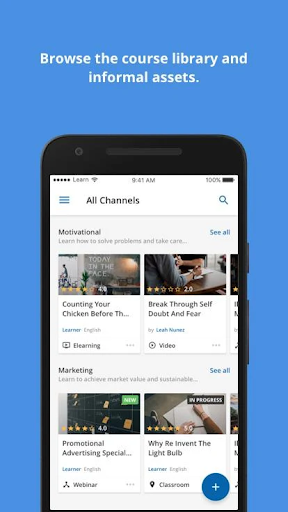


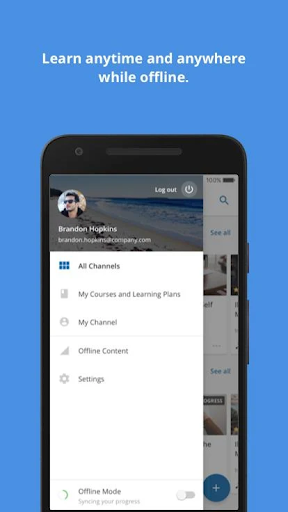


What's New
In this update, minor issues have been addressed to give you a better, smoother learning experience on mobile.
About this app
Dayforce Learning puts you in the driver’s seat with an engaging, intuitive mobile experience to take courses, participate in learning activities and reach milestones all from your mobile device. With Dayforce Learning, you can consume content on and offline to learn when it's convenient for you.
Please note: Dayforce Learning mobile access is only available to Dayforce Learning customers. If you are an employee of a Dayforce client, please check with your employer before downloading the app to see if they have activated the mobile option.
Disclaimer: Dayforce Learning mobile features will be limited to the Dayforce web version that has been deployed to your organization.
How to Download Dayforce Learning APK
- Enter the package name
com.ceridian.dayforcelearningon the APK Downloader homepage. - Select your device architecture (ARM64 recommended for modern devices).
- Click Download to get the merged APK file.
- Transfer and install the APK on your Android device.
- Keep Updated: Visit APK Downloader regularly to search for and download the latest secure versions of your favorite apps.
Security & Signature Verification
This APK download is 100% safe. We verify that the cryptographic signature of the file matches the official developer credentials. No modifications or adware are injected.