
Download Sources
Device Configuration
Split APKs Installation Guide
Some apps are distributed as Split APKs (multiple .apk files packaged together) to optimize resources. Standard Android installers cannot open them.
Related Applications




What's New
OPPO's official file management app
About this app
My Files is OPPO's official file management app.
Smart categorization
Organize your files into photos, videos, audio, documents, APKs, and archives. Documents and files can be filtered by the file format.
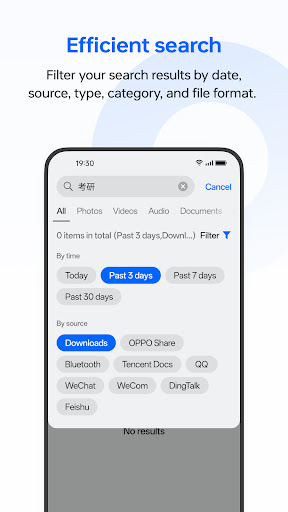
Efficient search
Filter your search results by date, source, type, category, and file format.
Additional features
Easily manage your files in one place: View recent files, free up storage, compress files, back up files, add tags, and more.
How to Download My Files APK
- Enter the package name
com.coloros.filemanageron the APK Downloader homepage. - Select your device architecture (ARM64 recommended for modern devices).
- Click Download to get the merged APK file.
- Transfer and install the APK on your Android device.
- Keep Updated: Visit APK Downloader regularly to search for and download the latest secure versions of your favorite apps.
Security & Signature Verification
This APK download is 100% safe. We verify that the cryptographic signature of the file matches the official developer credentials. No modifications or adware are injected.