

Letter Jam Gadget APK Screenshots


Letter Jam Gadget App Information
Download Sources
Device Configuration
Split APKs Installation Guide
Some apps are distributed as Split APKs (multiple .apk files packaged together) to optimize resources. Standard Android installers cannot open them.
What's New in Letter Jam Gadget
fonts and layouts updates
About Letter Jam Gadget
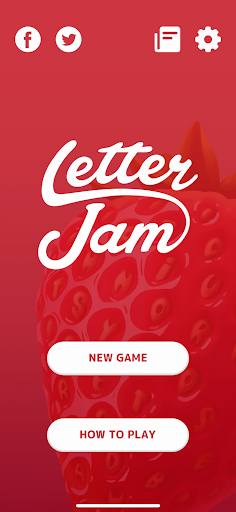
Did you notice that your Letter Jam cards have codes? Have you ever wondered what they're for? Would you like to add a bit more mystery and surprise to your game?
This companion app works as a scanner for Letter Jam cards. It prepares a secret word for every player around the table without anyone knowing any of the words!
Once the game is over, the app will show you which words it was thinking of.
If you don’t own the physical board game, you can use this app as a reference to get a better idea of how Letter Jam works and to get more information on CGE games.
User Reviews

Was working great the first day I downloaded it. Since that first time it will not open. Just crashes instantly. As far as when the app was actually working, only issue I had was that when the app was left in the background it seems me back to the menu and forgot our words, so couldn't verify if we had the correct ones at the end

Used to work on my old phone. However on my current s21 ultra it crashes out as soon as it goes to scanning cards, as others have noted below. Great when it works, but needs an update.

Worked great at some point, but it looks like it was broken after an update. Now it crashes everytime it gets to the part where you scan cards. Please bring the app back!
No french version, not really useful when you have the french version of the boardgame... Edit: thx for replying. Will update my review when the translation will be added. Good game by the way.
How to Download Letter Jam Gadget APK
- Enter the package name
com.czechgames.ljon the APK Downloader. - Select your device architecture (ARM64 recommended for modern devices).
- Click Download to get the merged APK file.
- Transfer and install the APK on your Android device.
- Keep Updated: Visit APKDER.COM regularly to search for and download the latest secure versions of your favorite apps.
Frequently Asked Questions
Yes! Every APK download provided by APKDER undergoes rigorous security verification. We verify that the cryptographic signature of the APK file matches the official signature from the developer, ensuring the APK is original, untouched, and free from any modifications.
To install it, you first need to enable "Unknown Sources" in your Android device's security settings. After downloading the APK file from APKDER, tap it to begin the installation and follow the on-screen prompts.
Yes! As soon as the developer releases a new version of Letter Jam Gadget, we will update and provide the updated APK on APKDER. You can simply download and install the new APK over the existing installation without losing your app data.
Yes. APKDER allows you to bypass geographic restrictions and download official APK files directly, even if the app or game is not officially available in your country's store.
A standard APK is a single installation package. An XAPK or Split APK contains multiple resource files (like OBB expansions or device-specific layout parts) packaged together. To install them, you can download splits individually or use dynamic helper tools like Split APKs Installer (SAI).
Security & Signature Verification
This APK download is 100% safe. We verify that the cryptographic signature of the file matches the official developer credentials. No modifications or adware are injected.


