

PixWords™ APK Screenshots



PixWords™ Game Information
Download Sources
Device Configuration
Old Versions of PixWords™
Split APKs Installation Guide
Some apps are distributed as Split APKs (multiple .apk files packaged together) to optimize resources. Standard Android installers cannot open them.
What's New in PixWords™
+ Various minor bug fixes and improvements
About PixWords™
PixWords™ - the new wonderfully interesting word puzzle challenge.
50 languages: English, Spanish, Hebrew, German, French, Dutch, Italian, Russian, Ukrainian, Arabic, Korean, Portuguese, Swedish, Danish, Norwegian, Finnish, Turkish, Polish, Greek, Czech, Slovak, Lithuanian, Hungarian, Philippines, Vietnamese and etc...
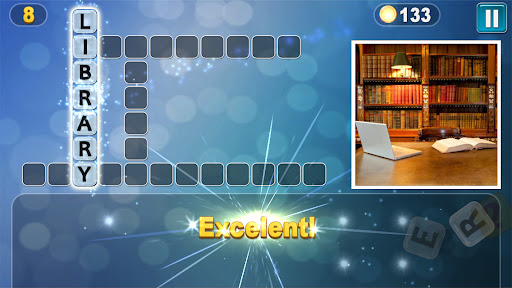
Each word is a crossword puzzle hidden in a picture. Can you solve all the words?
Upon solving one word, you open another letter, gradually unraveling the entire puzzle.
Features:
✔ Free game
✔ Simple rules
✔ More than 1000 levels
✔ Hundreds of words and pictures
✔ Choice of 50 languages: English, Russian, Spanish, German, French, etc.
✔ Terrific way to improve your vocabulary!
User Reviews

It's addictive. It will widen your vocabulary. It's informative in a way. It's truly knowledge enhancing. However. It's really really difficult. Yet, it only gives little points. Considering, I'm already in level 194. The money for each question must at least increase. Like 5 coins for each. That's my only concern. But it's indeed an amazing game app.

Generally a good game, some words have to be looked up in the separate pixwords database. At least on a Samsung tablet, the feedback button aborts the game. Finally, game 49 of English UK vertical 6 letter clue is wrong. The desired word has nothing to do with the picture. Note: as requested by the developer, I contacted techsupport, but received no reply.

Cool game! Is challenging but, if you get stuck, hints are available. Really nice pictures, too. EDIT 1/9/2023 - Since that review was written, I've experienced an issue with the game. I have been in contact with the developer, and the situation has been resolved. Great customer service! 🙂

Really love this game. Makes me think but I have 1 issue so far. Just like 4 pics you guys should give us 1 or 2 free letters per day because some words a very hard. Right now I'm stuck and it's expensive to buy a letter from the few coins earned so far
How to Download PixWords™ APK
- Enter the package name
com.dekovir.pixwordson the APK Downloader. - Select your device architecture (ARM64 recommended for modern devices).
- Click Download to get the merged APK file.
- Transfer and install the APK on your Android device.
- Keep Updated: Visit APKDER.COM regularly to search for and download the latest secure versions of your favorite apps.
Frequently Asked Questions
Yes! Every APK download provided by APKDER undergoes rigorous security verification. We verify that the cryptographic signature of the APK file matches the official signature from the developer, ensuring the APK is original, untouched, and free from any modifications.
To install it, you first need to enable "Unknown Sources" in your Android device's security settings. After downloading the APK file from APKDER, tap it to begin the installation and follow the on-screen prompts.
Yes! As soon as the developer releases a new version of PixWords™, we will update and provide the updated APK on APKDER. You can simply download and install the new APK over the existing installation without losing your app data.
Yes. APKDER allows you to bypass geographic restrictions and download official APK files directly, even if the app or game is not officially available in your country's store.
A standard APK is a single installation package. An XAPK or Split APK contains multiple resource files (like OBB expansions or device-specific layout parts) packaged together. To install them, you can download splits individually or use dynamic helper tools like Split APKs Installer (SAI).
Security & Signature Verification
This APK download is 100% safe. We verify that the cryptographic signature of the file matches the official developer credentials. No modifications or adware are injected.


