

DICE Access APK Screenshots



DICE Access App Information
Download Sources
Device Configuration
Old Versions of DICE Access
Split APKs Installation Guide
Some apps are distributed as Split APKs (multiple .apk files packaged together) to optimize resources. Standard Android installers cannot open them.
About DICE Access
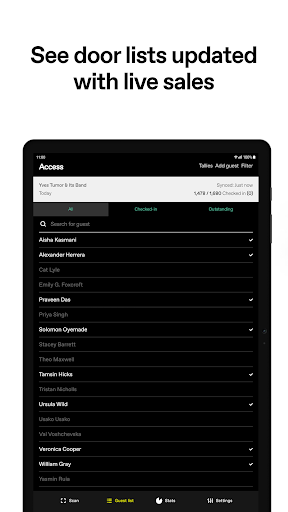
DICE Access allows organisers to easily manage their events. Organisers can scan in fans and update the guest list instantly. It also has backup mode for manual validation if there's no internet access and can work in almost any light.
User Reviews

Handy when it works but when it doesn't there's no other way to access tickets - can't even print them out before the concert in case. Customer service is too slow to respond whan there's a problem so it can't be sorted out in time for the concert. Frustrating that attending concerts is contingent on having a certain phone!

no refunds given even if you get in touch multiple weeks prior (never known this with concert tickets) it's not about reducing scalpers at all, it's just about taking your cash. avoid theres far better ways to purchase tickets with access to refund and help

Bought tickets to an event which later changed venues. Months in advance of the gig, Dice FM tell me I can't refund the tickets or resell them as they are now "Off Sale". They've refused to contact me back on requests for clairification or deal with this at all. Terrible customer service, if you can purchase your tickets any other way do so.

the worst app ever, when you install on another phone it stops working and the login isn't recognized support email doesn't work tickets were paid for and now gone with no possibility to get a refund
How to Download DICE Access APK
- Enter the package name
com.dice.check_inon the APK Downloader. - Select your device architecture (ARM64 recommended for modern devices).
- Click Download to get the merged APK file.
- Transfer and install the APK on your Android device.
- Keep Updated: Visit APKDER.COM regularly to search for and download the latest secure versions of your favorite apps.
Frequently Asked Questions
Yes! Every APK download provided by APKDER undergoes rigorous security verification. We verify that the cryptographic signature of the APK file matches the official signature from the developer, ensuring the APK is original, untouched, and free from any modifications.
To install it, you first need to enable "Unknown Sources" in your Android device's security settings. After downloading the APK file from APKDER, tap it to begin the installation and follow the on-screen prompts.
Yes! As soon as the developer releases a new version of DICE Access, we will update and provide the updated APK on APKDER. You can simply download and install the new APK over the existing installation without losing your app data.
Yes. APKDER allows you to bypass geographic restrictions and download official APK files directly, even if the app or game is not officially available in your country's store.
A standard APK is a single installation package. An XAPK or Split APK contains multiple resource files (like OBB expansions or device-specific layout parts) packaged together. To install them, you can download splits individually or use dynamic helper tools like Split APKs Installer (SAI).
Security & Signature Verification
This APK download is 100% safe. We verify that the cryptographic signature of the file matches the official developer credentials. No modifications or adware are injected.


