
Download Sources
Device Configuration
Split APKs Installation Guide
Some apps are distributed as Split APKs (multiple .apk files packaged together) to optimize resources. Standard Android installers cannot open them.
Related Applications


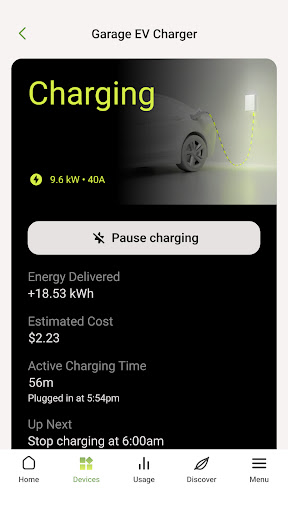


What's New
New
* Discover Emporia electricity plans in the Discover tab, including a new EV charging plan for Texas EV owners
Fixes
* Forgot Password can be restarted if you exit partway through
* Fixed the recommendations list getting cut off with many items
* Minor bug fixes and stability improvements
About this app
The Emporia app provides clear, meaningful energy use analysis and actionable recommendations that help homeowners save money, conserve energy, and reduce carbon. We analyze your usage patterns and then provide insights into your energy use, along with powerful opportunities to make your home more energy efficient.
Emporia Energy provides these valuable features:
- Real-time monitoring of your energy use
- Historical energy use and savings
- Options to show use, savings and environmental impact in meaningful measurements
- Comparisons minute-to-minute, hour-to-hour, day-to-day, week-to-week, month-to-month, and year-to-year
- Clear savings calculations based on the recommended actions you perform
For more information, visit emporiaenergy.com
Customer Support
[email protected]
How to Download Emporia Energy APK
- Enter the package name
com.emporiaenergy.emporos.v2on the APK Downloader homepage. - Select your device architecture (ARM64 recommended for modern devices).
- Click Download to get the merged APK file.
- Transfer and install the APK on your Android device.
- Keep Updated: Visit APK Downloader regularly to search for and download the latest secure versions of your favorite apps.
Security & Signature Verification
This APK download is 100% safe. We verify that the cryptographic signature of the file matches the official developer credentials. No modifications or adware are injected.