




Download Sources
Device Configuration
Split APKs Installation Guide
Some apps are distributed as Split APKs (multiple .apk files packaged together) to optimize resources. Standard Android installers cannot open them.
What's New
android sdk updates
About This App
Setup tips here: https://www.emulationonline.com/systems/nes/picones-setup-guide/
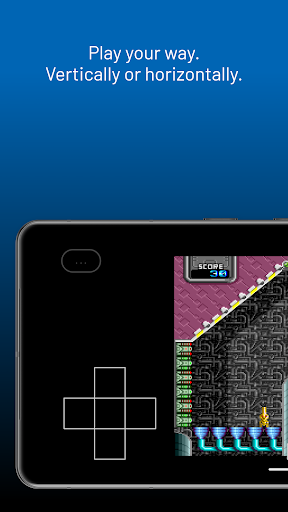
PicoEngine is an easy to use emulator for your Android device. It allows you to play backups of your favorite classic games, or explore new indie games developed for the PC-Engine console.
- Highly accurate. Unlike most other emulator apps on the Play store, we have developed our own emulation core. This allows us to provide a more accurate recreation of the original console, making sure games play as they should.
- Uber-saves. Automatically save and resume your games at any point. Even if the game doesn't support saves. Now you can resume your games like you never put them down. Even if your battery dies.
- Touch optimized controls. A touch screen presents certain challenges versus physical controls. Certain techniques that are easy on a physical controller are hard on typical touch screens, such as rolling your thumb from B -> A. We've made sure the touch controls are just as effective as a real controller, making it possible to play even the most challenging games with the touch screen.
- Controller support. While touch controls are convenient for being built in, sometimes you want to hold a real controller. PicoEngine supports all popular Android controllers. If yours is not supported, send us an email and we'll do our best to make it work.
- Contribute to emulator development. The EmulationOnline team contributes to the state of the art of emulator development, both through research and education.
For an example of research, see our chiplab at https://chiplab.emulationonline.com/6502/
For an example of education, you can learn all about the NES at https://emulationonline.com/systems/nes/
- Play on your own schedule with automatic save / pause / resume. Any time you close a game, your progress is saved. Whether you just want to switch games, your phone battery dies, or you just need to get back to real life, your progress will be saved.
Games used in screenshots:
Reflectron by Aetherbyte Studios - https://aetherbyte.itch.io
Special Ninja Squad (DEMO) by FG Software - https://vectrex28.itch.io/ninja-squad
Disclaimer: Games are not included. PicoEngine is not affiliated with NEC.
User Reviews

I love getting an Turbo Graphix emulator for my Android handhelds. I've just used my Google Opinion Rewards for $2 (basically I got it for free) worth the investment and please work on the UI interface needs to be beautiful, simple to use and optimized. written on December 21st 2025 - 10:06 PM

omg was waiting for this after the pico nes
How to Download PicoEngine: PCE/PC Engine Emu APK
- Enter the package name
com.emulationonline.picostationon the APK Downloader. - Select your device architecture (ARM64 recommended for modern devices).
- Click Download to get the merged APK file.
- Transfer and install the APK on your Android device.
- Keep Updated: Visit APKDER.COM regularly to search for and download the latest secure versions of your favorite apps.
Security & Signature Verification
This APK download is 100% safe. We verify that the cryptographic signature of the file matches the official developer credentials. No modifications or adware are injected.


