
Download Sources
Device Configuration
Split APKs Installation Guide
Some apps are distributed as Split APKs (multiple .apk files packaged together) to optimize resources. Standard Android installers cannot open them.
Related Applications



What's New
- Fixed bugs, improved stability
About this app
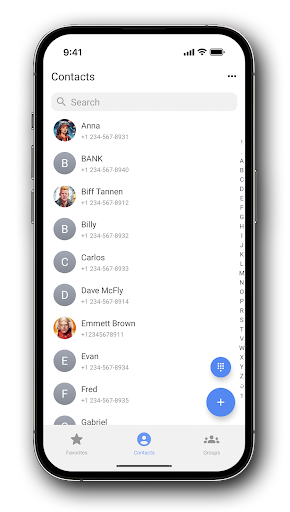
Introducing Right Contacts, the ultimate app for organizing and customizing your contacts with a focus on privacy. Create a personalized interface for your contacts, with the ability to choose custom themes and colors.
Take control of your contact list by creating private contacts that are accessible only within the app, ensuring that your personal information remains confidential and secure.
Right Contacts offers a seamless and user-friendly experience, allowing you to manage and interact with your contacts in a way that is tailored to your individual needs.
Key features:
- Free and No annoying ads or interruptions
- Enhanced security for your privacy
- Intuitive and user-friendly interface
- Integration with popular messengers
- Create private contacts, such contacts are not visible to other apps
Download Right Contacts now and take your contact management to the next level!
How to Download Right Contacts APK
- Enter the package name
com.goodwy.contactson the APK Downloader homepage. - Select your device architecture (ARM64 recommended for modern devices).
- Click Download to get the merged APK file.
- Transfer and install the APK on your Android device.
- Keep Updated: Visit APK Downloader regularly to search for and download the latest secure versions of your favorite apps.
Security & Signature Verification
This APK download is 100% safe. We verify that the cryptographic signature of the file matches the official developer credentials. No modifications or adware are injected.