
Download Sources
Device Configuration
Split APKs Installation Guide
Some apps are distributed as Split APKs (multiple .apk files packaged together) to optimize resources. Standard Android installers cannot open them.
Related Applications




What's New
• More built-in mini games are coming soon. Mix it up when you’re offline.
• Signing in to games is now automatic. Just pick your account and go. (Yes, you can change that account anytime in settings.)
About this app
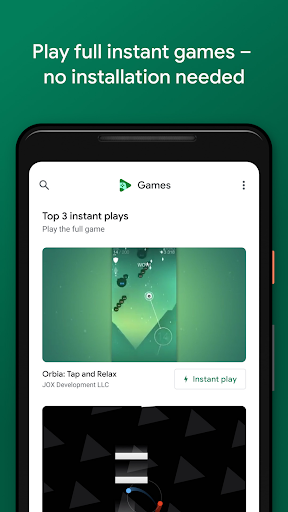
Games are more fun with the Google Play Games app. We'll help you find your next favorite game – from action to puzzles. And with "Instant play," many games require no installation. Really. Save your progress and track your achievements as you level up. Plus, you can pick up where you left off from any device.
KEY FEATURES
• Instant play: There’s no installation needed – look for the "Instant play" button to instantly play full games.
• Built-in Google games: Play Solitaire, Minesweeper, Snake, PAC-MAN, Cricket, and Whirlybird – even when you’re offline.
• Save your progress: Your progress is automatically saved to the cloud when you see "Progress saved by Play Games."
• Gamer profile: Create a custom gamer ID, unlock achievements, earn XP, and level up.
• Gameplay recording: Easily record and share your best gameplay moments.
How to Download Google Play Games APK
- Enter the package name
com.google.android.play.gameson the APK Downloader homepage. - Select your device architecture (ARM64 recommended for modern devices).
- Click Download to get the merged APK file.
- Transfer and install the APK on your Android device.
- Keep Updated: Visit APK Downloader regularly to search for and download the latest secure versions of your favorite apps.
Security & Signature Verification
This APK download is 100% safe. We verify that the cryptographic signature of the file matches the official developer credentials. No modifications or adware are injected.