




Download Sources
Device Configuration
Split APKs Installation Guide
Some apps are distributed as Split APKs (multiple .apk files packaged together) to optimize resources. Standard Android installers cannot open them.
What's New
Fix known issues and optimize user experience
About this app
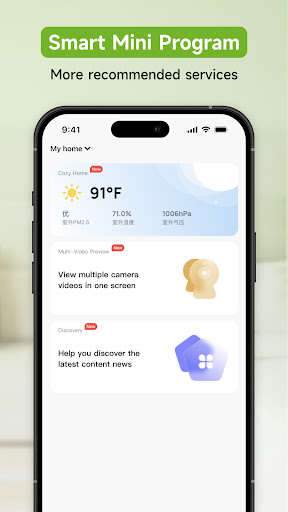
Easily build smart life in the cloud(include GHome and NiteBird devices)
• Remote control of household appliances, peace of mind, power saving, open whenever you want
• Can add multiple appliances at the same time, one APP controls all smart devices
• Support for voice control smart devices such as Amazon Echo and Google Home
• Intelligent linkage, automatically run smart devices based on your location temperature, location, and time
• One-click sharing device for family and friends, the whole family can easily enjoy smart life
• Receive notifications to get real-time information on your home
• Quickly connect to the network, no need to wait, enjoy the speed experienceT
User Reviews

I like it. I have 8 of them throughout the house and our whole "lights on, lights off" routines are automated now. one problem i just noticed is that when you try to add someone to the app to be another user, the link it send the new user is broken. also, I do worry about the app no longer being supported at some point.

Ads pop up constantly on this app for you to buy more of their products. It has happened several times now, where l open the app to turn my lights on/off, and there is a massive ad that I can't exit out of and I cannot access my lights. I then have to force stop the app, and go back in. It is so frustrating and pervasive to the point that I would not recommend their products anymore.

I purchased light switches and plugs to use around my home. When I open the app, I am now seeing Pop-UP Ads overlaying the controls. if this was a free app, I wouldn't mind this, but I paid HUNDREDS OF DOLLARS on your products. If you want to put Ads somewhere on the screen that's fine, but pop up Ads are BS. If I need to power on a device quickly due to an emergency, this prevents me from doing it. i'll raise my review if this is changed.

The app already has non-intrusive ads. The pop up ads are excessive and they pop up just when I'm trying to use the app to turn on a light, but instead I click on an ad and then have to navigate back to the app. No bueno! Unusable. Frustrating. Got the Tuya app instead.
How to Download GHome - GHome Smart APK
- Enter the package name
com.gosund.smarton the APK Downloader. - Select your device architecture (ARM64 recommended for modern devices).
- Click Download to get the merged APK file.
- Transfer and install the APK on your Android device.
- Keep Updated: Visit APKDER.COM regularly to search for and download the latest secure versions of your favorite apps.
Security & Signature Verification
This APK download is 100% safe. We verify that the cryptographic signature of the file matches the official developer credentials. No modifications or adware are injected.


