
Hisense Hi-Mit II APK Screenshots
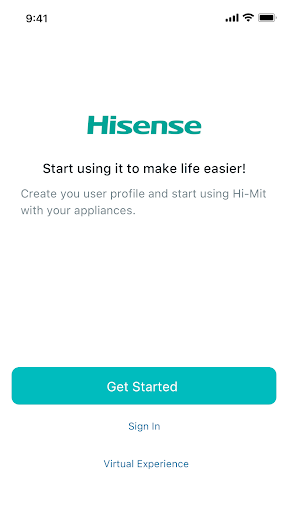


Hisense Hi-Mit II App Information
Download Sources
Device Configuration
Split APKs Installation Guide
Some apps are distributed as Split APKs (multiple .apk files packaged together) to optimize resources. Standard Android installers cannot open them.
About Hisense Hi-Mit II
Hi-Mit II is a centralized control system developed by Hisense to realize air conditioning management.
Thanks to the Cloud technology, we can achieve remote control. Hi Mit II supports energy management, remote repairs and multiple scene settings, bringing comfort and convenience to your life.
User Reviews

I recently bought a Hi-Mit 2 adapter. I wanted to connect my heat pump Hi-therma Integra to be able to manage it via the network, but this is a dead end. The app is very unstable. It crashed several times. I reinstall it, then after creation of account I added the adapter, but nothing happened. The adapter havent appeared in the app. And I'm not able to search for the heat pump. My WiFi network is using 2.4 Gherrz My phone is Samsung Galaxy S20Fe and is up to date. Also there is

This is the worst app I've ever used (or tried to use). I can't even set it up as it constantly sends me back to the starting set-up page. The app is very user-unfriendly!

There is no option to adjust the temp +/- when OTC curve is active, can not do it in the app, only on the indoor unit. Anti legionella cycle also is not possible to be run in the app. Would be suitable to have the option to view the energy consumption between two dates. I use heatpump Hisense 12 kW split - AHW-120HEDS1+AHM-120HEDSAA

I have a Hi-Sense Hitherma 8kw heatpump. The voice comand to lower the temperature lowers the temperature in the radiators and not the room temperature. Setting up the modes is too complicated... Otherwise ok for manual on/off, temperature change and consumption insight.
How to Download Hisense Hi-Mit II APK
- Enter the package name
com.hisensehitachi.oversea.himit2on the APK Downloader. - Select your device architecture (ARM64 recommended for modern devices).
- Click Download to get the merged APK file.
- Transfer and install the APK on your Android device.
- Keep Updated: Visit APKDER.COM regularly to search for and download the latest secure versions of your favorite apps.
Frequently Asked Questions
Yes! Every APK download provided by APKDER undergoes rigorous security verification. We verify that the cryptographic signature of the APK file matches the official signature from the developer, ensuring the APK is original, untouched, and free from any modifications.
To install it, you first need to enable "Unknown Sources" in your Android device's security settings. After downloading the APK file from APKDER, tap it to begin the installation and follow the on-screen prompts.
Yes! As soon as the developer releases a new version of Hisense Hi-Mit II, we will update and provide the updated APK on APKDER. You can simply download and install the new APK over the existing installation without losing your app data.
Yes. APKDER allows you to bypass geographic restrictions and download official APK files directly, even if the app or game is not officially available in your country's store.
A standard APK is a single installation package. An XAPK or Split APK contains multiple resource files (like OBB expansions or device-specific layout parts) packaged together. To install them, you can download splits individually or use dynamic helper tools like Split APKs Installer (SAI).
Security & Signature Verification
This APK download is 100% safe. We verify that the cryptographic signature of the file matches the official developer credentials. No modifications or adware are injected.


