

Snackables APK Screenshots


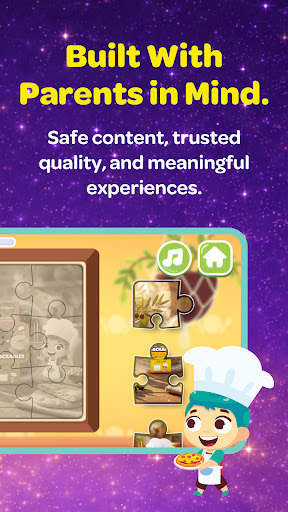

Snackables Game Information
Download Sources
Device Configuration
Split APKs Installation Guide
Some apps are distributed as Split APKs (multiple .apk files packaged together) to optimize resources. Standard Android installers cannot open them.
What's New in Snackables
We’ve made Lamsa Snackables even better with general fixes and performance improvements for a smoother, safer, and more enjoyable experience. Kids can keep discovering fun games inspired by their favorite snacks, while parents enjoy a more reliable app built for young children. We’re continuously improving the app to make snack time more playful, seamless, and joyful for every family.
About Snackables
Lamsa Snackables brings nutritious kids' snacks to life with fun, interactive digital games designed especially for children.
Each Snackables product connects kids to playful in-app experiences that turn snack time into an exciting moment of discovery and joy. Children can explore games inspired by their snacks, while parents feel confident offering nutritious options paired with safe digital fun.
The app includes a growing library of kid-friendly games that encourage creativity, curiosity, and positive engagement in a controlled, child-safe environment.
Snackables Kids is built with families in mind:
• Games designed for young children
• Nutritious kids' snacks as the core experience
• No in-app purchases or subscriptions
• Easy access via QR codes and direct app access
• Safe, age-appropriate digital content
Snackables Kids blends food and play into one joyful experience, making everyday snack moments more meaningful for kids and parents alike.
How to Download Snackables APK
- Enter the package name
com.lamsa.snackableson the APK Downloader. - Select your device architecture (ARM64 recommended for modern devices).
- Click Download to get the merged APK file.
- Transfer and install the APK on your Android device.
- Keep Updated: Visit APKDER.COM regularly to search for and download the latest secure versions of your favorite apps.
Frequently Asked Questions
Yes! Every APK download provided by APKDER undergoes rigorous security verification. We verify that the cryptographic signature of the APK file matches the official signature from the developer, ensuring the APK is original, untouched, and free from any modifications.
To install it, you first need to enable "Unknown Sources" in your Android device's security settings. After downloading the APK file from APKDER, tap it to begin the installation and follow the on-screen prompts.
Yes! As soon as the developer releases a new version of Snackables, we will update and provide the updated APK on APKDER. You can simply download and install the new APK over the existing installation without losing your app data.
Yes. APKDER allows you to bypass geographic restrictions and download official APK files directly, even if the app or game is not officially available in your country's store.
A standard APK is a single installation package. An XAPK or Split APK contains multiple resource files (like OBB expansions or device-specific layout parts) packaged together. To install them, you can download splits individually or use dynamic helper tools like Split APKs Installer (SAI).
Security & Signature Verification
This APK download is 100% safe. We verify that the cryptographic signature of the file matches the official developer credentials. No modifications or adware are injected.


