
Download Sources
Device Configuration
Split APKs Installation Guide
Some apps are distributed as Split APKs (multiple .apk files packaged together) to optimize resources. Standard Android installers cannot open them.
Related Applications


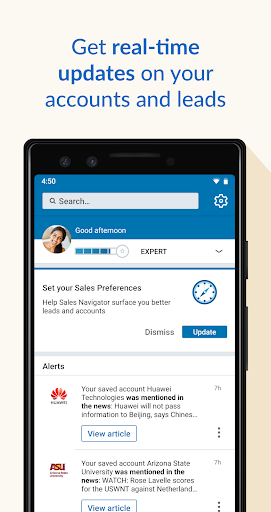


About this app
Stay up to date with your accounts and leads with LinkedIn Sales Navigator on your Android device, wherever you are.
LinkedIn Sales Navigator helps you target the right buyers and companies, understand what buyers value, and engage buyers with personalized outreach.
Whether you are waiting for a meeting, traveling between clients’ offices, or just in line for a coffee, Sales Navigator Mobile gives you access to Sales Navigator’s key sales features where you need them most: everywhere.
- Get real-time sales updates on your accounts and leads
- Discover new accounts and leads with daily recommendations, wherever you are
- Prep for sales meetings by reviewing prospect profiles and account pages
- Save new leads after meetings to start getting sales updates
- Send timely InMail, messages, and connection requests
The Sales Navigator mobile app requires a Sales Navigator account, which is a paid LinkedIn subscription for sales professionals. The app is currently only available in English.
How to Download LinkedIn Sales Navigator APK
- Enter the package name
com.linkedin.android.salesnavigatoron the APK Downloader homepage. - Select your device architecture (ARM64 recommended for modern devices).
- Click Download to get the merged APK file.
- Transfer and install the APK on your Android device.
- Keep Updated: Visit APK Downloader regularly to search for and download the latest secure versions of your favorite apps.
Security & Signature Verification
This APK download is 100% safe. We verify that the cryptographic signature of the file matches the official developer credentials. No modifications or adware are injected.