



Download Sources
Device Configuration
Split APKs Installation Guide
Some apps are distributed as Split APKs (multiple .apk files packaged together) to optimize resources. Standard Android installers cannot open them.
What's New
- Reduced Vehicle Damage.
- Time increased in Levels.
- License Verification issue solved.
- 2 New Vehicles added.
- White Screen issue on Exit from Settings Menu has been fixed.
- OnScreen Back button can be used to Exit app or move to back screen.
- Shadows feature added. Shadows can be disabled or enabled from Settings menu.
- Graphics Improvements.
About this app
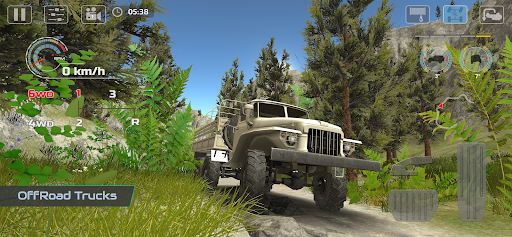
In OffRoad Drive Pro all 4x4 Off-Road vehicles are equipped with Differential-Lock and Winch feature to enjoy Off-Roading like a PRO. Differential-Lock can be used in Career mode and also in FreeRoam mode to use all the offRoading techniques in different situations, if your vehicle lose traction you can engage Differential-Lock to regain the traction so you can take on challenging obstacles and difficult terrains.
Graphics Quality and 4x4 OffRoad features and Suspension are improved for real Off-Road experience. You can use different techniques like put the vehicle in 1st Gear to tackle steep slopes or obstacles, engage Differential-Lock if one of the wheel lose traction, use Winch if your vehicle get stuck. In OffRoad Drive Simulator you can enable FOG and increase or decrease its intensity from Settings menu in FreeRoam mode.
Game Features
• Enable Fog in FreeRoam Mode from Settings Menu
• Graphics Quality level can be adjusted from Settings Menu according to device specifications
from Lowest to UltraHigh. Reduce Graphics Quality to improve game controls and make it more responsive.
• 13 languages support that you can select from Settings Menu
• 13 different Offroad vehicles with realistic Suspension and Offroad features
• 16 Levels
• 10 Maps (New maps will be added in next update)
• Locked Maps and Vehicles can be unlocked for FreeRoam Mode by completing Levels in Career Mode
• Select any Map and Vehicle in FreeRoam Mode
• Select Day/Night mode in FreeRoam Mode
• Rock Crawling
• Roll, Pitch Meters
• 5 different Cameras
4x4 Off-Road Features
• Differential-Lock
• Winch
• Manual Transmission with Tachometer
• 1st Gear can be used as 4L or 2L gear
• 2WD, 4WD Gear for providing Power to rear or all wheels
JOIN US ON
https://web.facebook.com/LogicMiracle
YOUTUBE CHANNEL
https://goo.gl/HijLbY
User Reviews

I like the game but the damage is insufferable. If you barely scrape a rock or wall, you'll receive damage. There's a time limit so you're forced to move somewhat quickly. It's a painful feature of the game. The game also has a tendency to crash randomly. I'll open the app, complete (or restart...) one level, then when I proceed to the next level/restart, it'll crash after 4 or 5 minutes. Really annoying

Like others have stated, the damage system in this is garbage, and having timers is kind of unnecessary for the type of game this is, but could be fitting for certain modes, just not the main mode. The map is also fairly unrealistic in looks and structure. The game plays well enough for a mobile game I guess, but the gap between this and something like Mudrunner is wild, even if this is just a mobile game.

OK physics, but so far the 2 trucks I've driven are gutless hogs and you can't upgrade or customize them. Also, if your going to have a damage system that ends your attempt to get through a level, maybe an indicator of some kind to show how much damage there is so far. But apparently tapping a few boulders is enough to total a truck. Anyway, bring in those things and I'll give it a better rating.

Please add 60fps mode. And add a free view camera or make it reset if you change view. Having the camera locked in one axis when the map turns makes it very difficult to use any view other than interior. It would be great to be able to freely move the camera around and over the vehicle to see obstacles easier. For now it's 3 stars. Add one or both of these and I will easily rate 5 starts. Especially on Play pass.
How to Download OffRoad Drive Pro APK
- Enter the package name
com.logicmiracle.offroaddriveproon the APK Downloader. - Select your device architecture (ARM64 recommended for modern devices).
- Click Download to get the merged APK file.
- Transfer and install the APK on your Android device.
- Keep Updated: Visit APKDER.COM regularly to search for and download the latest secure versions of your favorite apps.
Security & Signature Verification
This APK download is 100% safe. We verify that the cryptographic signature of the file matches the official developer credentials. No modifications or adware are injected.
