


Download Sources
Device Configuration
Split APKs Installation Guide
Some apps are distributed as Split APKs (multiple .apk files packaged together) to optimize resources. Standard Android installers cannot open them.
What's New
Fixes bugs and crashes.
Adds support for new Android versions.
About this app
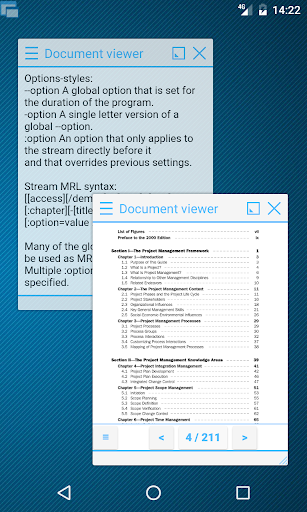
This app provides DOC, DOCX, ODT and RTF rendering capabilities to Floating Apps and doesn't work alone. However, it's necessary for Floating Document Viewer to work correctly.
Download Floating Apps from Google Play and experience real multitasking on your Android:
https://play.google.com/store/apps/details?id=com.lwi.android.flappsfull
Visit our website:
https://www.floatingapps.net
Floating Apps is the largest and the most advanced collection of floating apps available on Google Play. Each floating app is a small app that opens in a window and floats over all other apps unlocking real multitasking on your Android phone or tablet!
User Reviews

Very good, FANTASTIC app! I'll buy the full version as soon as I figure it out, because it's a bit too complicated to use. I'd like a simple button (or floating icon) that reduces any open window to an average size, so it can be resized and repositionedfrom there. Thank you!

I like this app infact very much...but it is having some bugs...example 1:In youtube i can't change video quality after trying for so many times too ma be in yt app or browse url with desktop site not working atall..though have 2 to 5% change some times it change... Need update : Screen recording ...its missing..and some other lags Otherwise this app is very nice..pls look into this..

Android are stupidly "over secure". Even with my 8gb+5gb ram, battery optimized and run in background permission are checked. This app still killed after some time, and i need to open it again before using floating doc.

The app is very good and useful. I am using this app since 1 year and I didn't face any error or bugs but now I saw tha in YouTube window i can't change the quality of the video i tryed all possible tasks but no response so please fix it, thank you
How to Download Floating Apps - DOCS Module APK
- Enter the package name
com.lwi.android.flapps.docson the APK Downloader. - Select your device architecture (ARM64 recommended for modern devices).
- Click Download to get the merged APK file.
- Transfer and install the APK on your Android device.
- Keep Updated: Visit APKDER.COM regularly to search for and download the latest secure versions of your favorite apps.
Security & Signature Verification
This APK download is 100% safe. We verify that the cryptographic signature of the file matches the official developer credentials. No modifications or adware are injected.


