
Download Sources
Device Configuration
Split APKs Installation Guide
Some apps are distributed as Split APKs (multiple .apk files packaged together) to optimize resources. Standard Android installers cannot open them.
Related Applications




What's New
Minor fixes and improved performance to make sure you have an amazing experience with the app!
About this app
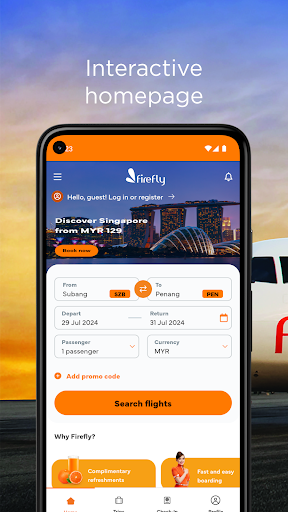
Avoid the hassle by booking your next flight with Firefly mobile app. Be the first to grab exclusive mobile app offers, find the best fares, check in earlier or pick your favourite seat on board.
You can even customise your journey by adding value bundle services with checked luggage, meals, Enrich points and many more.
Manage your travel plans with customer-friendly features such as :
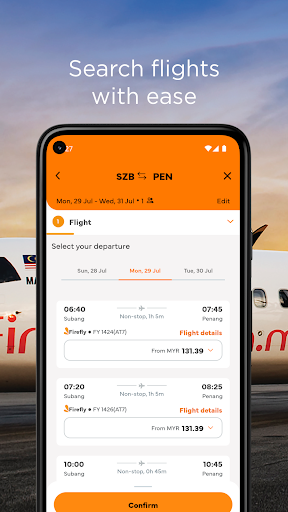
- Search and Book Flight tickets or Firefly Holiday packages
- Book one-way or return trips
- Fare features displayed during the booking
- Key in promo code on the spot
- Get the best seat on board
- Payment is made more manageable within a second via Visa, MasterCard or AMEX, Maybank2U, CIMB, AliPay, UnionPay, FPX, Firefly E-wallet, Touch n’ Go E-wallet, Boost E-wallet, GrabPay.
- Manage your flights easily within the app.
- Earlier check-in and QR Code Download
Download now and grab the latest offers with us!
How to Download Firefly Airlines APK
- Enter the package name
com.metech.fireflyon the APK Downloader homepage. - Select your device architecture (ARM64 recommended for modern devices).
- Click Download to get the merged APK file.
- Transfer and install the APK on your Android device.
- Keep Updated: Visit APK Downloader regularly to search for and download the latest secure versions of your favorite apps.
Security & Signature Verification
This APK download is 100% safe. We verify that the cryptographic signature of the file matches the official developer credentials. No modifications or adware are injected.