
Download Sources
Device Configuration
Split APKs Installation Guide
Some apps are distributed as Split APKs (multiple .apk files packaged together) to optimize resources. Standard Android installers cannot open them.
Related Applications




What's New
Upgrade to ensure compatibility with Android 15
About this app
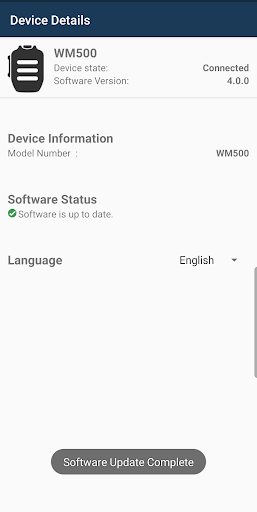
Accessory Manager by Motorola Solutions is the dedicated smartphone app designed to work seamlessly with your WM800, WM500, and WP300 accessories. Connecting via Bluetooth, this app empowers you to efficiently manage your devices by viewing their connection status, checking product information, and performing essential updates.
Additionally, the app supports language pack changes (English, French, and Dutch) for the WM500 and WP300 accessories, allowing you to customize your experience. Please note that language pack changes are not supported for the WM800.
How to Download Accessory Manager APK
- Enter the package name
com.motorolasolutions.accessorymanageron the APK Downloader. - Select your device architecture (ARM64 recommended for modern devices).
- Click Download to get the merged APK file.
- Transfer and install the APK on your Android device.
- Keep Updated: Visit APKDER.COM regularly to search for and download the latest secure versions of your favorite apps.
Security & Signature Verification
This APK download is 100% safe. We verify that the cryptographic signature of the file matches the official developer credentials. No modifications or adware are injected.