

Clim8 APK Screenshots




Clim8 App Information
Download Sources
Device Configuration
Split APKs Installation Guide
Some apps are distributed as Split APKs (multiple .apk files packaged together) to optimize resources. Standard Android installers cannot open them.
What's New in Clim8
The new version of the clim8® app is out! More modern and intuitive, its new interface makes room for guidance and clarity, particularly when creating an account or adding a product.
Got a question? Ask our new chatbot! It will guide you through your queries and redirect you to articles, tutorials or our Support team if needed.
Check what's new on our website: https://myclim8.com/app/release-notes/
About Clim8
**Products equipped with Clim8® technology are required for this app.**
The Clim8® technology knows HOW and WHEN to keep you warm.
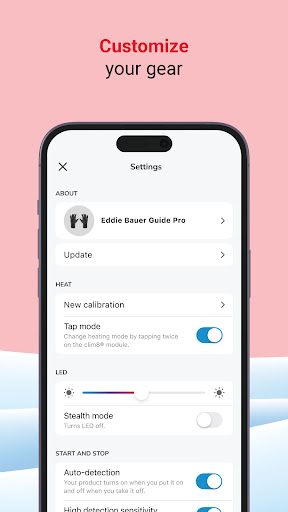
The Clim8® app enables you to control your temperature, personnalize your product and share your feedback. As you use the product, it evolves and improves over time for a tailor made heated experience.
Forgot your smartphone at home? Fine, the Clim8® heating system is fully autonomous!
# ABOUT THE CLIM8® TECHNOLOGY
Products with Clim8® technology embed multiple sensors whose results are analyzed in real time by a processor integrated into the garment. A thermal response adapted to your needs is then immediately provided, according to your profile, activity and temperature. Never too cold, never too hot!
- Smart heating
Auto-regulation in real time according to profile, activity and temperature.
- Auto power on-off
System automatically turns on and off when in use.
- Smart battery usage
For longer sessions. Light batteries designed to be cold resistant.
- Backed by science
Thermal performance and durability ensured with field and lab tests.
More information on https://myclim8.com/
User Reviews

Clim8 works well on my Android 16 phone. I simply tap "reconnect" and I have full control over my jacket. I would like the app to not take over in full-screen mode, but I can manage to get out of it and leave it running while I use other apps. I also had a good experience with the support team. My battery was not charging and the support person knew exactly why after I described my symptoms. Turns out I had to unplug a cable from my multi-outlet charger so it could use dedicated juice to charge.

I got it to connect. But it has now asked me to recalibrate twice. Because I guess it likes to waste my time. additionally the app is required for any changes or any settings to the gloves which is insane. I love apps for additional functionality. But to require an app? That is fundamentally flawed. I'm here at work thought I'd put my gloves on because I was cold And I wanted to turn the temperature up a little bit. nope, recalibration required. This is insane

Pros - temperature setting works, battery meter works (although battery usage is quite unpredictable due to strange discharge curve of the batteries - first ride takes 8 %, second ride in similar conditions takes 50 %) Cons - the stats page is completely useless and shows weird data. Example. After 30 minute commute it shows last ride duration of 9 hours even when the gloves were off (batteries out before the ride). Total nonsense, useless.

Excellent app and has a great connectivity to control the gloves. Wish there was a way to 'stop' calibration of the gloves once we determine a comfortable temperature. I'm not yet sure if the gloves are touch sensitive to operate the app out in the cold... so far keeping the phone in my pocket but never looked at it lol
How to Download Clim8 APK
- Enter the package name
com.myclim8.clim8on the APK Downloader. - Select your device architecture (ARM64 recommended for modern devices).
- Click Download to get the merged APK file.
- Transfer and install the APK on your Android device.
- Keep Updated: Visit APKDER.COM regularly to search for and download the latest secure versions of your favorite apps.
Clim8 APK Overview
Download the latest version of Clim8 APK by Clim8 developer for Android for free at APKDER. Downloading the official Clim8 (com.myclim8.clim8) APK is faster, easier, and safer for your Android device.
Frequently Asked Questions
Yes! Every APK download provided by APKDER undergoes rigorous security verification. We verify that the cryptographic signature of the APK file matches the official signature from the developer, ensuring the APK is original, untouched, and free from any modifications.
To install it, you first need to enable "Unknown Sources" in your Android device's security settings. After downloading the APK file from APKDER, tap it to begin the installation and follow the on-screen prompts.
Yes! As soon as the developer releases a new version of Clim8, we will update and provide the updated APK on APKDER. You can simply download and install the new APK over the existing installation without losing your app data.
Yes. APKDER allows you to bypass geographic restrictions and download official APK files directly, even if the app or game is not officially available in your country's store.
A standard APK is a single installation package. An XAPK or Split APK contains multiple resource files (like OBB expansions or device-specific layout parts) packaged together. To install them, you can download splits individually or use dynamic helper tools like Split APKs Installer (SAI).
Security & Signature Verification
This APK download is 100% safe. We verify that the cryptographic signature of the file matches the official developer credentials. No modifications or adware are injected.