




Download Sources
Device Configuration
Split APKs Installation Guide
Some apps are distributed as Split APKs (multiple .apk files packaged together) to optimize resources. Standard Android installers cannot open them.
What's New
- Fixed various minor issues.
If you have any questions, please send an email to:
[email protected],
[email protected]
About this app
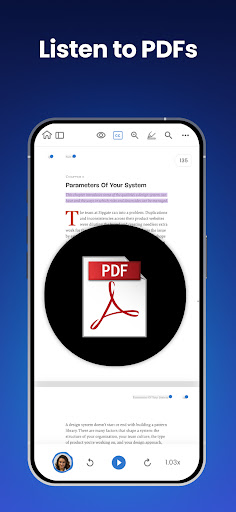
Have your books, PDFs, documents, and more read aloud to you by 1000+ AI-powered voices in over 100 different languages/dialects!
NaturalReader is a mobile app that can read aloud a variety of texts like PDFs, online articles, cloud documents, even images taken by your camera and so many more.
With over 1 million monthly users and over 15 years of experience dedicated to AI technology that improves the user’s experience, we are one of the most trusted text-to-speech brands today.
Our app has innovative features like the ability to convert and download text into MP3 files, OCR text recognition for PDFs and our camera scanner.
NaturalReader is also an essential reading tool for those with dyslexia and other reading difficulties. By presenting the text both audibly and visually, readers can focus less on the act of reading, and more on the content they are reading. We also offer a dyslexia-friendly font for closed captions and within our text box.
HOW IT WORKS:
Just like a podcast or audiobook, our app lets you be productive anywhere with your mobile device. Complete readings laying in bed, during your daily commute, or walking around campus. By listening on the go, you create more time to do what you love.
Listening to our app couldn’t be easier! Simply choose the document type you wish to upload, select your desired file, and you are ready to start listening. For the best experience, remember to choose your favourite speaker’s voice and optimal listening speed.
Here are just a few of the reasons why our 1,000,000 monthly users love using NaturalReader
-- Camera Scanner: Listen to physical books and notes by using your mobile camera. Convert any piece of physical text into audio, which reads aloud to you. Just take a picture of the pages you wish to upload and you’re ready to start listening.
-- Natural Voices: Enjoy over 1000+ AI-powered Voices across 100+ Languages/Dialects to choose from, including our plus voices, the newest and highest technology of AI voices.
Plus voices enable fluid, natural-sounding text to speech that matches the patterns and intonation of human voices. Plus voices are available through our Plus Subscription plan.
-- AI Text Filtering: Choose to filter out distracting and unwanted text such as URLs and text within brackets. Our advanced AI technology will detect these types of text and ignore them, limiting any distractions.
-- Customizable Experience: We have loaded our app with features built to create the most natural listening experience for our users. Choose your preferred speaker voice and optimal reading speed for the best experience.
Other features ways to customize include a dark mode, word highlight, closed captions and an advanced pronunciation editor for new or unusual words, or to improve the readability of acronyms.
-- Cross-Device Compatibility: A free NaturalReader account gives you access to our Mobile App, Online Reader and Chrome Extension. Run out of time? Seamlessly continue listening from your desktop computer to your mobile device.
Supported Formats:
PDF, MS Word (.doc & .docx), MS Powerpoint, Mac documents, RTF, TXT, DRM-free EPUB eBooks, image files (png, jpg…)
User Reviews

Requires premium subscription for any useful features that I've noticed so far. there might be some valuable features that the free version includes. wish this were more clear in the description before I download it and installed it. Alexa wrongly told me it was a freeway to view PDF files. I would be more generous if the fee were not that much, but from what I saw, the fee is $10 per month, quite costly unless you use it for business or have a lot of PDF files you need to routinely go through.

Natural Reader was once an excellent and effective tool for TTS, but since its expansion, it has terrible customer service and even worse usage documentation! I'm very sorry I bought it! The older version was much more productive and user friendly! Now it's just disappointing, frustrating, time-consuming, and very expensive! For the last month, I've been trying to get their customer service team to help me correct extraneous voices appearing where they were never chosen to be. Very aggravating

The app itself is very good. Clean and easy to navigate. Free voices are not terrible and get things other TTS services fail at like "Ms." and "Mr." But my only complaint is you cannot download an MP3 without having to pay their subscription fee. I would completely understand not being able to download a paid voice from the Plus or Premium section. But I feel like I should be able to download a copy of the free voices if I wanted. Especially when there are free alternatives on F-Droid.

I've had this app for a long time. It had many positives, natural voices, selection, multiple methods to input content, speed adjustment, but it's always wonky. Esp. pasting URLs. 90% it doesn't work; freezes, copies only a title, even c + p text freezes the app. Voice speed is so complicated, I gave up. And then the price? $120 a year?!?? $160 for "premium"? It does ONE thing! I'm so disappointed. Fix your app, first. It hasn't performed at 💯 yet.
How to Download NaturalReader - Text to Speech APK
- Enter the package name
com.naturalsoft.personalwebon the APK Downloader. - Select your device architecture (ARM64 recommended for modern devices).
- Click Download to get the merged APK file.
- Transfer and install the APK on your Android device.
- Keep Updated: Visit APKDER.COM regularly to search for and download the latest secure versions of your favorite apps.
Security & Signature Verification
This APK download is 100% safe. We verify that the cryptographic signature of the file matches the official developer credentials. No modifications or adware are injected.


