


Download Sources
Device Configuration
Split APKs Installation Guide
Some apps are distributed as Split APKs (multiple .apk files packaged together) to optimize resources. Standard Android installers cannot open them.
What's New
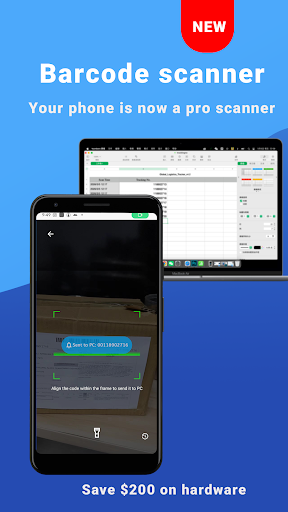
🚀 Smart Scanner: Speed & Precision!
Continuous Scan: Scan multiple barcodes with a 1.5s smart interval. No more repetitive clicks.
Custom Suffix: Auto-add 1 or 2 Enter keys after each scan. Perfect for Excel & Numbers.
Focused ROI: New optimized scanning window reduces accidental scans.
100% Private: "Local Connection Only" ensures data stays in your network. No cloud, no leaks.
About this app
Wireless mouse, keyboard, barcode scanner & AI tools for PC/Mac control
User Reviews

Hands down the best remote mouse/keyboard app in the store (yes I've tried them all). Don't look anywhere else, these guys are the only ones maintaining frequent updates of their app. It has dark mode, full simulated keyboard that supports shortcuts, the mouse even has a scroll wheel and a setting for the sensitivity. I've used this app every single day for over 5 years now to control my computer from across my room. 10/10 IGN.

This app is amazing! Even after shutting off your phone, after simply clicking your on button, the mouse is ready to use! I have a pretty decent gaming PC and a decent phone so experiences may be different with lesser technology. I do have to say to the developers that this app should only be the beginning and that people would be willing to pay if there was more! Make it a video controller, add the ability to do more like choose different PC apps such as Netflix, Hulu, prime, ect. Also ,.......

Great app mostly, saved me with my laptop, not bad with ads either. Shocker, and bravo. BUT!.. i have 3 issues, 2 relevant to the app, 1 just my opinion. 1st app related is the buttons for like keyboard or music, NEED TO MOVE very frustrating. Use your own app for a day and you'll see. 2nd is that it doesn't work whenever I'm doing certain things like installation or CMD, I'm guessing it's a permission thing but it shouldn't be. Last, is having to buy options i previously had, like keyboard emu

Made a purchase in the app assuming I'd get all the features in it, instead only got the subpar gamepad I'm never going to use. Would've just bought the screenshare feature if I'd have known it was going to be DLC galore. Now my balance is too low to get it. As for the application using the mouse, itself is okay. Frequent stutters, but useable.
How to Download WiFi Mouse APK
- Enter the package name
com.necta.wifimousefreeon the APK Downloader. - Select your device architecture (ARM64 recommended for modern devices).
- Click Download to get the merged APK file.
- Transfer and install the APK on your Android device.
- Keep Updated: Visit APKDER.COM regularly to search for and download the latest secure versions of your favorite apps.
Security & Signature Verification
This APK download is 100% safe. We verify that the cryptographic signature of the file matches the official developer credentials. No modifications or adware are injected.


