
Download Sources
Device Configuration
Split APKs Installation Guide
Some apps are distributed as Split APKs (multiple .apk files packaged together) to optimize resources. Standard Android installers cannot open them.
Related Applications




What's New
Bug fixes and usage optimisation
About this app
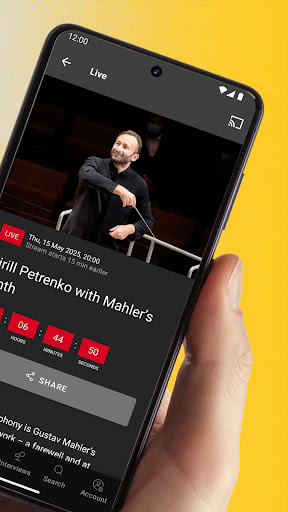
Treat yourself to a guest performance by the Berliner Philharmoniker - live and on demand
Closer to the music: In the Digital Concert Hall, you always have the best seat in the house! Each season, over 40 concerts are broadcast live and then offered in the on-demand archive. There are already hundreds of concert videos featuring all the stars of classical music, plus interviews, films and playlists.
Register now and test the Digital Concert Hall for 7 days - free of charge and without obligation!
The Digital Concert Hall at a glance:
• Over 40 live broadcasts per season with all the stars of classical music
• Hundreds of archive concerts from six decades on demand
• Free interviews and concert introductions
• Fascinating documentaries, portraits and playlists
• Free educational concerts for the whole family
• Highest Quality: 4K UHD Video, Hi-Res Audio, Immersive Audio (Dolby Atmos)
Terms of use: https://www.digitalconcerthall.com/terms
How to Download Berliner Philharmoniker APK
- Enter the package name
com.novoda.dchon the APK Downloader homepage. - Select your device architecture (ARM64 recommended for modern devices).
- Click Download to get the merged APK file.
- Transfer and install the APK on your Android device.
- Keep Updated: Visit APK Downloader regularly to search for and download the latest secure versions of your favorite apps.
Security & Signature Verification
This APK download is 100% safe. We verify that the cryptographic signature of the file matches the official developer credentials. No modifications or adware are injected.