

OnePlus Account APK Screenshots

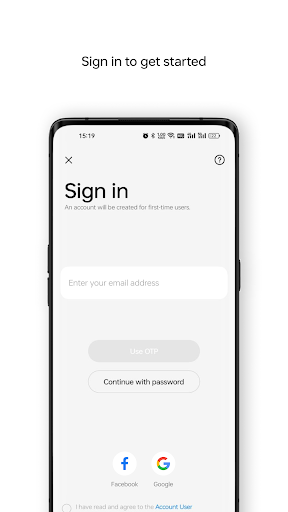

OnePlus Account App Information
Download Sources
Device Configuration
Split APKs Installation Guide
Some apps are distributed as Split APKs (multiple .apk files packaged together) to optimize resources. Standard Android installers cannot open them.
What's New in OnePlus Account
Bug fixes and performance improvements
About OnePlus Account
OnePlus Account can help you easily access OnePlus services and enjoy the convenience brought by OnePlus services.
It also keeps your account safe by using SMS messages or phone calls for identity authentication.
User Reviews

I give 3 stars bc #1 I never heard of these phones before, #2 they don't have an sd card slot for extra storage for ur phone but only give you 128gb for storage which is not alot when you take lots of videos, it's like you're limited on the amout it takes for a video which I didn't like & #3 as the years went on, this phone itself actually sucks, I'd never get it again, horrible & I DON'T recommend this at all!!!! 😡

For some reason I had a lot more features with 1+ account on 1+8T, which I don't have on my 1+9 Pro. Such as my daily activities (photographer, melomaniac etc.), how many countries I've visited, how much do I scroll feed and so on. Absolutely no features now. Other than that, pretty much useless for anyone outside India. I hate their pro-indian policy.

How do I move files that were forced onto the OnePlus Acct and be sure Google has all the moved files, before deleting OnePlus, altogether? It seems this is a secondary app and does many things Google does. I'm still trying to figure out some of the functions of Google. Not too tech savvy, so less is more for me, my age and my brain. I just need simplicity.

I just want my money back for this phone. They made the new update the way that they wanted to not the way the customer wants it. Why they have to change the color of my text message bubbles, I don't know. They used to be a dark color blue and I could see my messages clearly and now they are bright, neon, glow in the dark, green!!!! I can barely see my messages! It's like I have a new phone that I don't want. But as long as whoever designed it is happy with this color that's what really matters!
How to Download OnePlus Account APK
- Enter the package name
com.oneplus.accounton the APK Downloader. - Select your device architecture (ARM64 recommended for modern devices).
- Click Download to get the merged APK file.
- Transfer and install the APK on your Android device.
- Keep Updated: Visit APKDER.COM regularly to search for and download the latest secure versions of your favorite apps.
Frequently Asked Questions
Yes! Every APK download provided by APKDER undergoes rigorous security verification. We verify that the cryptographic signature of the APK file matches the official signature from the developer, ensuring the APK is original, untouched, and free from any modifications.
To install it, you first need to enable "Unknown Sources" in your Android device's security settings. After downloading the APK file from APKDER, tap it to begin the installation and follow the on-screen prompts.
Yes! As soon as the developer releases a new version of OnePlus Account, we will update and provide the updated APK on APKDER. You can simply download and install the new APK over the existing installation without losing your app data.
Yes. APKDER allows you to bypass geographic restrictions and download official APK files directly, even if the app or game is not officially available in your country's store.
A standard APK is a single installation package. An XAPK or Split APK contains multiple resource files (like OBB expansions or device-specific layout parts) packaged together. To install them, you can download splits individually or use dynamic helper tools like Split APKs Installer (SAI).
Security & Signature Verification
This APK download is 100% safe. We verify that the cryptographic signature of the file matches the official developer credentials. No modifications or adware are injected.


