

Center Parcs APK Screenshots



Center Parcs App Information
Download Sources
Device Configuration
Old Versions of Center Parcs
| Version | Size | Min OS | Architecture | Release Date | Action |
|---|---|---|---|---|---|
| v3.8.1 | 39.5 MB | Android 19+ | x86x86-64armeabi-v7aarm64-v8a |
Mar 11, 2021 | Download |
Split APKs Installation Guide
Some apps are distributed as Split APKs (multiple .apk files packaged together) to optimize resources. Standard Android installers cannot open them.
What's New in Center Parcs
The Center Parcs application has been given a makeover! We've worked hard to bring you a more modern experience and to make your navigation even more comfortable.
Download the new version now to enjoy it :)
About Center Parcs
By logging in using your login details, you will be able to:
VIEW THE DETAILS OF YOUR BOOKING: your cottage equipment, its location, included services and more.
BOOK SERVICES: rent bikes, choose your cottage location, book a full board at the restaurant, have a meal delivered…
BOOK ACTIVITIES: bowling, minigolf, paintball, archery, fun workshops for young and old and more! A wide range of experiences awaits you! Each park offers different experiences. There’s something for everyone and no matter the weather!
COMPLETE YOUR ONLINE CHECK-IN: from your couch in just a few clicks and save time on arrival!
EXPLORE THE PARK WITH THE INTERACTIVE MAP: thanks to geolocation, you will always find your way back to your cottage ;)
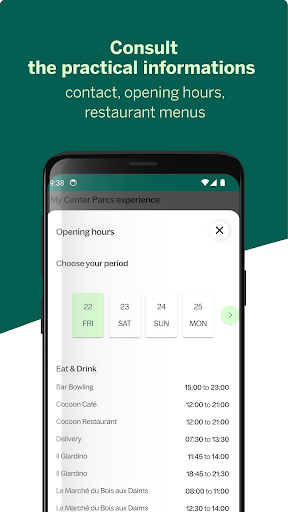
ALL ABOUT THE PARK:: opening hours of facilities, restaurant menus, etc.
Accept push notifications and stay informed!
Your login details (email + password) are those you created when you booked your stay on our Center Parcs website.
If you do not have an account yet, you can click on “Create an account” to create one.
If you have booked through one of our partners (e.g., works council, travel agency, etc.), click on “Go to booking”.
User Reviews

Very slow to load. Map does not show where you are, but it does track you. Same for restaurant menus. We started walking to the restaurant because the menus wouldn't load and when they finally did you couldn't enlarge them enough to read them. Could not find any reason to have the QR code either. Never was asked to scan it. Just use the paper map and info.

If you haven't made the reservation yourself, you can't access all the information and need to select your park every time you open the app. It doesn't properly show usefull information, like opening hours, or timing of certain activities, locations in the park, etc. ... Very frustrating app to use.

It's awful! There is no useful information in the app. It's basically worthless when you are in the park trying to find information. Only good to add services before your stay and check in. The app does not refresh. You have to completely close it and reopen. If you have multiple bookings the app will randomly switch to a different booking while your under one. The map is awful! House numbers are not listed. Available activities are not up to date.

app has a permanent glitch and I cannot book anything because I didn't book direct with CP. CP still getting my money though and I am not getting the full service!
How to Download Center Parcs APK
- Enter the package name
com.planet.centerparcson the APK Downloader. - Select your device architecture (ARM64 recommended for modern devices).
- Click Download to get the merged APK file.
- Transfer and install the APK on your Android device.
- Keep Updated: Visit APKDER.COM regularly to search for and download the latest secure versions of your favorite apps.
Frequently Asked Questions
Yes! Every APK download provided by APKDER undergoes rigorous security verification. We verify that the cryptographic signature of the APK file matches the official signature from the developer, ensuring the APK is original, untouched, and free from any modifications.
To install it, you first need to enable "Unknown Sources" in your Android device's security settings. After downloading the APK file from APKDER, tap it to begin the installation and follow the on-screen prompts.
Yes! As soon as the developer releases a new version of Center Parcs, we will update and provide the updated APK on APKDER. You can simply download and install the new APK over the existing installation without losing your app data.
Yes. APKDER allows you to bypass geographic restrictions and download official APK files directly, even if the app or game is not officially available in your country's store.
A standard APK is a single installation package. An XAPK or Split APK contains multiple resource files (like OBB expansions or device-specific layout parts) packaged together. To install them, you can download splits individually or use dynamic helper tools like Split APKs Installer (SAI).
Security & Signature Verification
This APK download is 100% safe. We verify that the cryptographic signature of the file matches the official developer credentials. No modifications or adware are injected.


