

CityBee shared mobility APK Screenshots



CityBee shared mobility App Information
Download Sources
Device Configuration
Old Versions of CityBee shared mobility
| Version | Size | Min OS | Architecture | Release Date | Action |
|---|---|---|---|---|---|
| v4.10.14 | 71.4 MB | Android 21+ | arm64-v8a | Mar 21, 2020 | Download |
Split APKs Installation Guide
Some apps are distributed as Split APKs (multiple .apk files packaged together) to optimize resources. Standard Android installers cannot open them.
What's New in CityBee shared mobility
Bzz, Thanks for using CityBee! We’ve made some tweaks and improvements under the hood in this version to make your CityBee experience even smoother. To make sure you don’t miss a thing, just keep your Updates turned on.
About CityBee shared mobility
CityBee car sharing – mobility app when you need it!
Use only when and how much you need
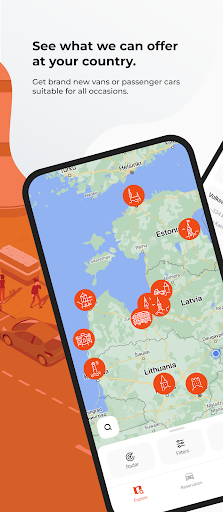
Find a car nearby, unlock it using your phone, travel wherever you want across Baltic countries and leave where convenient in CityBee zones.
All Inclusive
We take care of insurance, fuel and parking fees in CityBee areas in the city center, so no extra worries!
Variety of cars
Brand new trucks, cars, SUVs and compact cars suitable for all occasions.Why have one car when you can have THOUSANDS of them 24/7?
User Reviews

worst experience ever. first of all, was unable to put car in drive gear. I pull lever to drive but nothing happens. I was tryinh for up to 20minutes. Called support and they fixed the issue online. The gear was somehow locked remotely. Secondly, legal speed limit is 130 in summer time in kaunas vilnius road. I used cruise control set on 130. During my drive I get a call to my phone which is saying something like "you are exceeding speed limit, slow down or you will be fined". Seriously???

The new app UI is unusable... I want to simply see the price and rent a car for a short trip, but now I cannot do that, because everything is hidden under multiple clicks. Using Bolt Drive more and more just because it is more convenient.

I'm not using it very often, however it almost begs to be uninstalled by triggering battery draining warning almost every day at ~23:15.. update: it keeps doing it every night

had application for many years, but suddenly it asked for verification code, and never send it, tried for 2 days no lack. poor service, not recommended
How to Download CityBee shared mobility APK
- Enter the package name
com.primeleasing.citybeeon the APK Downloader. - Select your device architecture (ARM64 recommended for modern devices).
- Click Download to get the merged APK file.
- Transfer and install the APK on your Android device.
- Keep Updated: Visit APKDER.COM regularly to search for and download the latest secure versions of your favorite apps.
Frequently Asked Questions
Yes! Every APK download provided by APKDER undergoes rigorous security verification. We verify that the cryptographic signature of the APK file matches the official signature from the developer, ensuring the APK is original, untouched, and free from any modifications.
To install it, you first need to enable "Unknown Sources" in your Android device's security settings. After downloading the APK file from APKDER, tap it to begin the installation and follow the on-screen prompts.
Yes! As soon as the developer releases a new version of CityBee shared mobility, we will update and provide the updated APK on APKDER. You can simply download and install the new APK over the existing installation without losing your app data.
Yes. APKDER allows you to bypass geographic restrictions and download official APK files directly, even if the app or game is not officially available in your country's store.
A standard APK is a single installation package. An XAPK or Split APK contains multiple resource files (like OBB expansions or device-specific layout parts) packaged together. To install them, you can download splits individually or use dynamic helper tools like Split APKs Installer (SAI).
Security & Signature Verification
This APK download is 100% safe. We verify that the cryptographic signature of the file matches the official developer credentials. No modifications or adware are injected.


