

ASCII Text Art APK Screenshots


ASCII Text Art App Information
Download Sources
Device Configuration
Old Versions of ASCII Text Art
| Version | Size | Min OS | Architecture | Release Date | Action |
|---|---|---|---|---|---|
| v1.0.5 | 1.8 MB | Android 15+ | May 19, 2020 | Download |
Split APKs Installation Guide
Some apps are distributed as Split APKs (multiple .apk files packaged together) to optimize resources. Standard Android installers cannot open them.
What's New in ASCII Text Art
♥ Thank you por your comments and support!
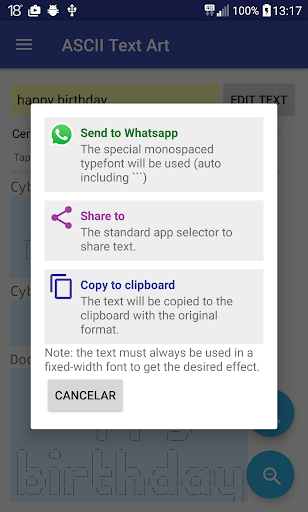
◉ Create banners and drawings with ASCII chars.
About ASCII Text Art
ASCII art is a design technique that aims to create an image (or text banner) using only ascii-table characters (letters or keyboard symbols).
In the early days of computers there was no graphic mode on the screens, and only characters could be used, so programmers and artists should use the ASCII characters to generate drawings and original texts.
In this app there are two sections:
ASCII Text -> Build Text Banners.
ASCII Art -> Drawings created with characters.
To achieve the desired effect, the font used must always be fixed-width, so all characters must be the same width (fonts examples: Courier New, Consolas, ...).
LICENSES AND ACKNOWLEDGMENTS:
Some parts of code or ideas collected in the following links have been used. Our most sincere thanks for all your work. All fonts used are Figlet type.
http://www.figlet.org
http://www.chris.com/ascii
https://github.com/lalyos/jfiglet
http://www.rigaut.com/benoit/CERN/FigletJava
http://patorjk.com/software/taag
NOTES
No ads are displayed in this app. It is totally free. Anonymous statistics of data may be collected. You can read our privacy policy terms from the following link: http://www.quarzoapps.com/privacy_en.html
Any suggestion is welcome.
User Reviews

Not a lot of fonts. The reason the text comes out funny on some devices is probably because if your text or chat box has a word wrap at 42 characters you'll probably set the max characters to "42" in the app. Just say your sentence has an "i" in it. The app has to make the top of the "i" just for that one letter it will put spaces until it reaches the "." on the top of the "i". So say that's at character #21 it will not fill blank spaces after the "." This causes issues with text that auto wraps

fun app that's not destroyed by ads or anything. reminds me of the "toilet" or "figlet" linux package that does basically same thing. thanks for the fun app

🐼🌹I thought this app might actually teach one how to draw pictures using the characters on one's keyboard 🤔 However as far as I can see at present there's just a 'few' pre set pictures for one to use❔😀🌹🐼
Omg people are so stupid. You may have to adjust the "image" after pasting because it's TEXT. You can't just paste a 'paragraph' midsentence and think line 2 will line up with it.
How to Download ASCII Text Art APK
- Enter the package name
com.quarzoapps.asciitextarton the APK Downloader. - Select your device architecture (ARM64 recommended for modern devices).
- Click Download to get the merged APK file.
- Transfer and install the APK on your Android device.
- Keep Updated: Visit APKDER.COM regularly to search for and download the latest secure versions of your favorite apps.
Frequently Asked Questions
Yes! Every APK download provided by APKDER undergoes rigorous security verification. We verify that the cryptographic signature of the APK file matches the official signature from the developer, ensuring the APK is original, untouched, and free from any modifications.
To install it, you first need to enable "Unknown Sources" in your Android device's security settings. After downloading the APK file from APKDER, tap it to begin the installation and follow the on-screen prompts.
Yes! As soon as the developer releases a new version of ASCII Text Art, we will update and provide the updated APK on APKDER. You can simply download and install the new APK over the existing installation without losing your app data.
Yes. APKDER allows you to bypass geographic restrictions and download official APK files directly, even if the app or game is not officially available in your country's store.
A standard APK is a single installation package. An XAPK or Split APK contains multiple resource files (like OBB expansions or device-specific layout parts) packaged together. To install them, you can download splits individually or use dynamic helper tools like Split APKs Installer (SAI).
Security & Signature Verification
This APK download is 100% safe. We verify that the cryptographic signature of the file matches the official developer credentials. No modifications or adware are injected.


