

Razer Nommo Pro APK Screenshots


Razer Nommo Pro App Information
Download Sources
Device Configuration
Split APKs Installation Guide
Some apps are distributed as Split APKs (multiple .apk files packaged together) to optimize resources. Standard Android installers cannot open them.
What's New in Razer Nommo Pro
Bug fixes and minor improvements.
About Razer Nommo Pro
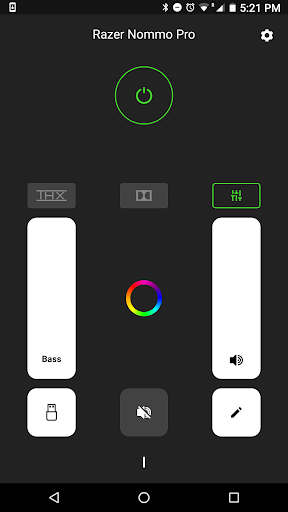
Maximise the audio experience of your Razer speaker system with this simple, easy to use remote app that allows you to control your speaker’s volume levels remotely, toggle EQ settings and various functions via Bluetooth.
Visit http://support.razer.com/contact-support for assistance
User Reviews

For a short while, I recently couldn't connect to my speakers and thought there might be an incompatibility with Android 15 as I just downloaded it. Told the app to forget my speakers, and it couldn't find the speakers to connect at all. Pulled the power plug from the speakers for 10 seconds, and after I plugged it back in, it immediately found the speakers again and had worked like a charm since. Been using the app daily for years with no issues.

You are all complaining for no reason. I downloaded, and got my speaker connected in 30 seconds from clicking download to connecting the app. It works flawlessly. All the buttons / modifications are simple and easy to use. The 20min timeout can be changed in the settings btw. You can also switch between thx sound and dolby sound. Very cool!

Disconnects a lot, have to restart app to reconnect often. Worst part is you can't change the source from the app, like if it's on usb, and you want to switch to bluetooth without having to get up to go change it on the control pod. Can you please add this feature. It should not be difficult.

Waste so much money for something that no longer has support and no longer works. App recognizes that there is a device near by, but will not connect. If it does connect and you exit the app, it will have a hard time finding the device if at all
How to Download Razer Nommo Pro APK
- Enter the package name
com.razerzone.beatriceon the APK Downloader. - Select your device architecture (ARM64 recommended for modern devices).
- Click Download to get the merged APK file.
- Transfer and install the APK on your Android device.
- Keep Updated: Visit APKDER.COM regularly to search for and download the latest secure versions of your favorite apps.
Frequently Asked Questions
Yes! Every APK download provided by APKDER undergoes rigorous security verification. We verify that the cryptographic signature of the APK file matches the official signature from the developer, ensuring the APK is original, untouched, and free from any modifications.
To install it, you first need to enable "Unknown Sources" in your Android device's security settings. After downloading the APK file from APKDER, tap it to begin the installation and follow the on-screen prompts.
Yes! As soon as the developer releases a new version of Razer Nommo Pro, we will update and provide the updated APK on APKDER. You can simply download and install the new APK over the existing installation without losing your app data.
Yes. APKDER allows you to bypass geographic restrictions and download official APK files directly, even if the app or game is not officially available in your country's store.
A standard APK is a single installation package. An XAPK or Split APK contains multiple resource files (like OBB expansions or device-specific layout parts) packaged together. To install them, you can download splits individually or use dynamic helper tools like Split APKs Installer (SAI).
Security & Signature Verification
This APK download is 100% safe. We verify that the cryptographic signature of the file matches the official developer credentials. No modifications or adware are injected.


