

AI Reader: Text to Speech APK Screenshots


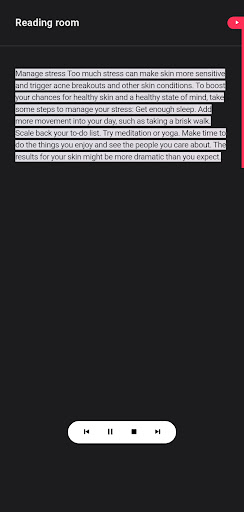
AI Reader: Text to Speech App Information
Download Sources
Device Configuration
Split APKs Installation Guide
Some apps are distributed as Split APKs (multiple .apk files packaged together) to optimize resources. Standard Android installers cannot open them.
About AI Reader: Text to Speech
Transform your reading experience with AI Reader, the intelligent text to speech app that converts any written content into natural-sounding audio. Whether you're commuting, exercising, or simply need to rest your eyes, this powerful voice reader helps you absorb information without staring at a screen.
Experience the freedom of hands-free learning. Our advanced text reader app seamlessly converts PDFs, documents, articles, and ebooks into crystal-clear speech. Perfect for multitasking professionals who want to maximize productivity during daily commutes or workout sessions. The natural voice narration makes lengthy documents feel like personal podcasts, keeping you engaged while reducing eye strain from excessive screen time.
Designed for diverse learning needs, AI Reader serves as an essential accessibility tool for individuals with dyslexia, visual impairments, or reading difficulties. The intuitive pdf reader audio feature transforms dense textbooks and research papers into digestible audio content. Students can convert entire study materials into portable audio lessons, making revision possible anywhere – while walking to class, doing chores, or preparing meals.
As autumn brings back to school season, AI Reader becomes your ultimate study app companion. Convert textbooks, lecture notes, and research materials into audio format for efficient learning on the go. The audiobook reader functionality helps students absorb complex information through auditory learning, complementing traditional reading methods. During upcoming holiday travel seasons, transform long journeys into productive learning sessions with this versatile travel companion app that works seamlessly across all your documents.
The sophisticated read aloud technology adapts to different content types, maintaining natural pacing and pronunciation across technical documents, creative writing, and academic texts. Import content from multiple sources – paste text directly, upload PDFs, or sync documents from cloud storage. The intelligent parsing ensures accurate conversion while preserving document structure and meaning.
Customize your listening experience with adjustable reading speeds, multiple voice options, and language support that suits your preferences. Save converted audio for later listening, create playlists of your favorite articles, and bookmark important sections for quick reference. The sleep timer feature lets you drift off to your favorite content without worrying about battery drain.
AI Reader revolutionizes how you consume written content, turning idle time into productive learning opportunities. Whether you're a busy parent juggling responsibilities, a student preparing for exams, or someone seeking accessible reading solutions, this comprehensive text to speech solution adapts to your lifestyle. Start transforming your reading habits today and discover the power of audio learning that moves with you.
Featured in major tech publications as a game-changing accessibility tool. Educational technology experts praise its natural voice quality and seamless document handling. Productivity forums consistently recommend it for efficient content consumption. Accessibility advocates highlight its impact on inclusive learning environments.
User Reviews

band app bahut jyada ad aate hain...

total rubbish

Good job
How to Download AI Reader: Text to Speech APK
- Enter the package name
com.rstream.readoutloudon the APK Downloader. - Select your device architecture (ARM64 recommended for modern devices).
- Click Download to get the merged APK file.
- Transfer and install the APK on your Android device.
- Keep Updated: Visit APKDER.COM regularly to search for and download the latest secure versions of your favorite apps.
Frequently Asked Questions
Yes! Every APK download provided by APKDER undergoes rigorous security verification. We verify that the cryptographic signature of the APK file matches the official signature from the developer, ensuring the APK is original, untouched, and free from any modifications.
To install it, you first need to enable "Unknown Sources" in your Android device's security settings. After downloading the APK file from APKDER, tap it to begin the installation and follow the on-screen prompts.
Yes! As soon as the developer releases a new version of AI Reader: Text to Speech, we will update and provide the updated APK on APKDER. You can simply download and install the new APK over the existing installation without losing your app data.
Yes. APKDER allows you to bypass geographic restrictions and download official APK files directly, even if the app or game is not officially available in your country's store.
A standard APK is a single installation package. An XAPK or Split APK contains multiple resource files (like OBB expansions or device-specific layout parts) packaged together. To install them, you can download splits individually or use dynamic helper tools like Split APKs Installer (SAI).
Security & Signature Verification
This APK download is 100% safe. We verify that the cryptographic signature of the file matches the official developer credentials. No modifications or adware are injected.


