
Download Sources
Device Configuration
Split APKs Installation Guide
Some apps are distributed as Split APKs (multiple .apk files packaged together) to optimize resources. Standard Android installers cannot open them.
Related Applications




What's New
Bug Fixes & Performance Improvements
About this app
Unlock your creativity with Style Studio and create one-of-a-kind audio and video Styles to use in Smule, the social karaoke singing app!
Use Style Studio to create Styles, or customizable templates made up of fun audio and visual effects that are applied based on song structure. Song structure is how a song is organized. Songs from the Smule Songbook are pre-segmented so you can easily apply effects to any or all of the segments of a song, like the intro, chorus, or bridge! When you create a Style, you’re defining your unique look and sound that can be applied to any song while you record in Smule. Download Style Studio now and create a custom Style for your next Smule performance!
App Requirements: Style Studio is a companion app to Smule, the social karaoke singing app. Use the Styles you create in Style Studio when you sing in Smule to set your performances apart.
Features
Hundreds of customizable audio & video effects to bring your creative vision to life!
Add unique effects to each song segment: intro, verse, pre-chorus, chorus, bridge, and outro or apply one effect to multiple segments—you’re the producer!
Create, change, and publish as many Styles as you want.
Get inspired by Styles created by other community members. Adjust any Styles in the Style Studio app to fit your look and sound!
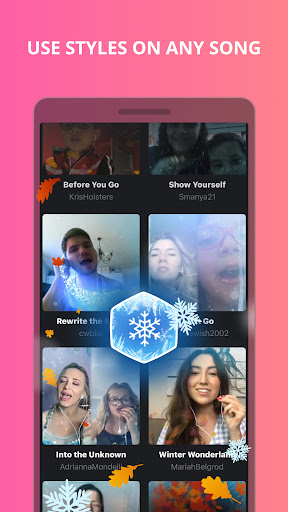
Use Styles on any recording in the Smule app
Publish your Style creations and share with other Smule singers for their recordings
Define your sound instantly with audio effects like grunge, super pop, indie, opera, and more!
Use layouts and transitions to highlight epic moments in your performance
Blur, blend, and add contrast with different lens choices.
Use video effects to create bursts of energy for the big moments in your performance, with fireworks, streaks of light, flashing neon symbols, and much more.
How it works
Download the FREE Style Studio app
Play with the pre-loaded performance, or choose another performance to help find what works for YOU
Add the audio & video effects of your choice to some or all of the song segments
When you’re finished, publish your new Style and share it with the Smule community
Open your Smule app and use your new Style in Smule for your solo, duet, and group recordings
Download the FREE Style Studio app NOW to create your first Style and share your creativity with the world!
Smule is a social singing app with a global karaoke community of music lovers over 50M+ strong! Choose from 10 million+ songs and sing solo, duet, or in a group performance. Sing with today’s hottest stars like Demi Lovato and Jason Derulo! Use high-quality studio effects to enhance your singing and highlight your performance.
How to Download Style Studio by Smule APK
- Enter the package name
com.smule.studioon the APK Downloader homepage. - Select your device architecture (ARM64 recommended for modern devices).
- Click Download to get the merged APK file.
- Transfer and install the APK on your Android device.
- Keep Updated: Visit APK Downloader regularly to search for and download the latest secure versions of your favorite apps.
Security & Signature Verification
This APK download is 100% safe. We verify that the cryptographic signature of the file matches the official developer credentials. No modifications or adware are injected.