




Download Sources
Device Configuration
Split APKs Installation Guide
Some apps are distributed as Split APKs (multiple .apk files packaged together) to optimize resources. Standard Android installers cannot open them.
What's New
New and improved functions:
• Bug fixes and performance improvements
Thank you for using Easy Line Remote!
About this app
The new Easy Line Remote comes with improved functionality and a new design to make your hearing experience as seamless and as tailored to your needs as possible. Easy Line Remote provides you access to enhanced hearing controls and personalization options for your hearing aid(s) in addition to tracking your health data*.
The Remote Control enables you to easily make changes to your hearing aid(s) to suit your personal preferences for various listening situations. You can easily adjust the volume and various hearing aid features (e.g., noise reduction and microphone directionality) or select pre-defined programs according to the different listening situation you are in. Additionally, you can make quick adjustments to the pitch of the sound in the equalizer by using the presets (default, comfort, clarity, softer, etc.) or more personalized adjustments using the sliders (bass, middle, treble).
The Remote Support allows you to meet with your hearing care professional through a live video call and have your hearing aids adjusted remotely. (by appointment)
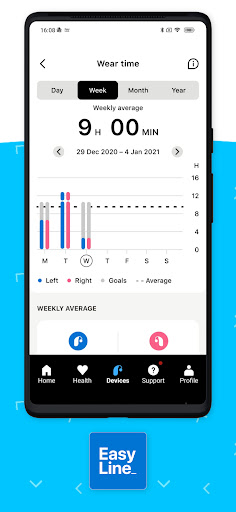
Numerous functions are available within the Health section such as Steps* and Wearing time*, including Optional goal setting*, Activity levels*.
* Available on KS 10.0 and Brio 5
Finally, Easy Line Remote allows for configuration of Touch Control, setting up cleaning reminders and provides additional information, such as battery level and status of connected hearing aids and accessories.
Hearing aid compatibility:
- Sonite Rise
- Sonite R
- KS 10.0
- KS 9.0
- KS 9.0 T
- Brio 5
- Brio 4
- Brio 3
- Phonak CROS™ P (KS 10.0)
Device compatibility:
Google Mobile Services (GMS) certified Android devices supporting Bluetooth 4.2 and Android OS 7.0 or newer. Phones with Bluetooth low energy (BT-LE) capability required.
If you want to check if your smartphone is compatible, please visit our compatibility checker: https://ks10userportal.com/compatibility-checker/
Please find the Instruction for Use on https://www.phonak.com/ELR/userguide-link/en.
Android™ is a trademark of Google, Inc.
The Bluetooth® word mark and logos are registered trademarks owned by Bluetooth SIG, Inc. and any use of such marks by Sonova AG is under license.
Always seek the advice of a doctor in addition to using this app and before making any medical decisions.
The app is only available in countries where the compatible hearing instruments have received official approval for distribution.
Easy Line Remote supports integration with Apple Health when connected to a compatible hearing aid such as Phonak Audéo Fit.
User Reviews

The app is unreliable and un predictable. It doesn't act like the demo; can't affect/change program, although was able to see and change it once only. App's connection to the hearing aids is lost extremely frequently while trying to adjust volume, like every few minutes. (I'm using an Android phone.) However connection to the phone for calls or streaming seams to work very well. I love the streaming feature. Phone calls work very well.

I've found this app to be pretty useless. i've attempted to use it multiple times and each time I struggle to get it connected. i'm technically savvy, but I find this app really a struggle to use. super frustrating! Just to be clear, I have done all of the suggested fixes, such as restarting my phone, reconnecting the bluetooth, uninstalling and reinstalling the app, etc. And the customer support is only one phone call away . . . in switzerland!

We've had this app for 2 years and it was just fine. Had to get a new phone and updated the app. Now, the app keeps crashing. Can't even have a conversation and hear through my hearing aids. I'm 92 and thus is horrible. My kids have tried everything; Uninstall, reinstall, restart phone, etc. Bought the hearing aids at Costco and now the product is not working as advertised. Not happy one least bit!

I have been having a good time with the app, until lately. I had to re-pair the left and right. The only problem was that it only was able to pair one device at the end of pairing. So I went to the app and cleared the "cache" and then cleared the "storage". Next I did re-pair and this time it worked. At first I had uninstalled then reinstalled the app but it did no good. Clear the Cache and Storage then try again.
How to Download Easy Line Remote APK
- Enter the package name
com.sonova.easyline.rcappon the APK Downloader. - Select your device architecture (ARM64 recommended for modern devices).
- Click Download to get the merged APK file.
- Transfer and install the APK on your Android device.
- Keep Updated: Visit APKDER.COM regularly to search for and download the latest secure versions of your favorite apps.
Security & Signature Verification
This APK download is 100% safe. We verify that the cryptographic signature of the file matches the official developer credentials. No modifications or adware are injected.


