
Download Sources
Device Configuration
Split APKs Installation Guide
Some apps are distributed as Split APKs (multiple .apk files packaged together) to optimize resources. Standard Android installers cannot open them.
Related Applications




What's New
Charge Stats 2 with new map visualization, iconic charging sites, and milestone badges
Supercharging Live Notification
About this app
The Tesla app puts owners in direct communication with their vehicles and Powerwalls anytime, anywhere. With this app, you can:
- Check charging progress in real time and start or stop charging
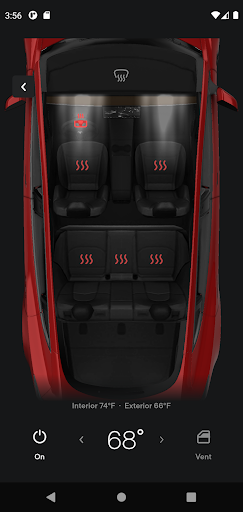
- Heat or cool your car before driving – even if it's in a garage
- Lock or unlock from afar
- Locate your vehicle with directions or track its movement
- Send an address from your favorite apps to start navigation in your car
- Allow your passengers to quickly control media
- Flash lights or honk the horn to find your vehicle when parked
- Vent or close the panoramic roof
- Summon your vehicle out of your garage or a tight parking space (for vehicles with Autopilot)
- Update your vehicle software from wherever you are
- Engage with Powerwall: monitor how much energy is stored from solar, used by your home, or exported to the grid
- Download your solar production and battery usage data
Note: Powerwall features in this app require Powerwall 2
For more information about Tesla, visit www.tesla.com
How to Download Tesla APK
- Enter the package name
com.teslamotors.teslaon the APK Downloader homepage. - Select your device architecture (ARM64 recommended for modern devices).
- Click Download to get the merged APK file.
- Transfer and install the APK on your Android device.
- Keep Updated: Visit APK Downloader regularly to search for and download the latest secure versions of your favorite apps.
Security & Signature Verification
This APK download is 100% safe. We verify that the cryptographic signature of the file matches the official developer credentials. No modifications or adware are injected.