
Download Sources
Device Configuration
Split APKs Installation Guide
Some apps are distributed as Split APKs (multiple .apk files packaged together) to optimize resources. Standard Android installers cannot open them.
Related Applications




What's New
Performance optimizations
Bug fixes
About this app
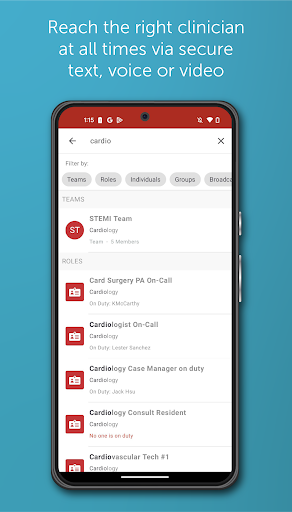
TigerConnect is a leader in clinical communication and collaboration, helping unify communications and streamline workflows by delivering real-time, clinical data at the point of care to drive positive outcomes for patients and greater productivity and profitability for healthcare organizations.
TigerConnect Clinical Collaboration is built upon our TIGERTEXT market-defining secure messaging application and is part of our complete care orchestration platform that spans provider scheduling, operator console, smart room, alarm management, and many additional solutions — enabling hospitals to unlock siloed data, ease clinician burden, and accelerate care delivery while rationalizing their technology portfolio. To learn more, visit tigerconnect.com/clinicalcollaboration.
TigerConnect is reliable, secure, and HITRUST-certified, ensuring consistent communication across your health system at all times. TigerConnect integrates with clinical systems including EHRs, nurse call, staff and physician scheduling, patient monitors and more to accelerate workflows for improved productivity, throughput and patient outcomes.
Having trouble? Contact us at https://tigerconnect.com/about/contact-us/#tab-contactsupport
ADDITIONAL INFORMATION
TigerConnect is currently certified to work in the U.S. and Canada. While users in other countries may download and access the app for free, the TigerConnect user experience may be inconsistent outside the U.S. and Canada.
How to Download TigerConnect APK
- Enter the package name
com.tigertexton the APK Downloader homepage. - Select your device architecture (ARM64 recommended for modern devices).
- Click Download to get the merged APK file.
- Transfer and install the APK on your Android device.
- Keep Updated: Visit APK Downloader regularly to search for and download the latest secure versions of your favorite apps.
Security & Signature Verification
This APK download is 100% safe. We verify that the cryptographic signature of the file matches the official developer credentials. No modifications or adware are injected.