



Download Sources
Device Configuration
Split APKs Installation Guide
Some apps are distributed as Split APKs (multiple .apk files packaged together) to optimize resources. Standard Android installers cannot open them.
About This App
VideoMusicHub is a local media player for Android that combines video playback and music playback in one app.
If your videos and audio files are spread across different folders and apps, VideoMusicHub helps you keep them in one place. It scans local media on your device, organizes it into clear library views, and gives you quick access to playback, folders, playlists, and recent history.
KEY FEATURES
• Play local videos from a dedicated library view
• Play local music with background playback support
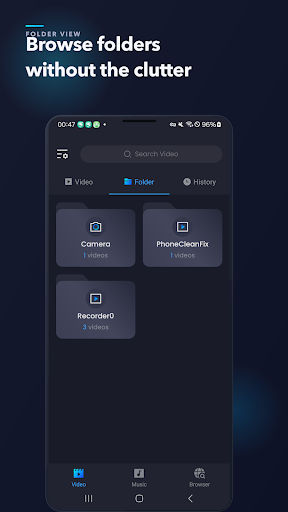
• Browse media by folder for faster access
• Create and manage playlists for audio files
• Use full-screen video playback with gesture-based controls
• Control music from the notification area while multitasking
• Review playback history to reopen recently played items
How to Download VideoMusicHub APK
- Enter the package name
com.tlkm.videomusichubon the APK Downloader. - Select your device architecture (ARM64 recommended for modern devices).
- Click Download to get the merged APK file.
- Transfer and install the APK on your Android device.
- Keep Updated: Visit APKDER.COM regularly to search for and download the latest secure versions of your favorite apps.
Security & Signature Verification
This APK download is 100% safe. We verify that the cryptographic signature of the file matches the official developer credentials. No modifications or adware are injected.


