

Tidal Relics APK Screenshots



Tidal Relics Game Information
Download Sources
Device Configuration
Split APKs Installation Guide
Some apps are distributed as Split APKs (multiple .apk files packaged together) to optimize resources. Standard Android installers cannot open them.
What's New in Tidal Relics
Tidal Relics v1.0.4
• Fixed the app icon — the real Tidal Relics artwork now shows on your home screen
About Tidal Relics
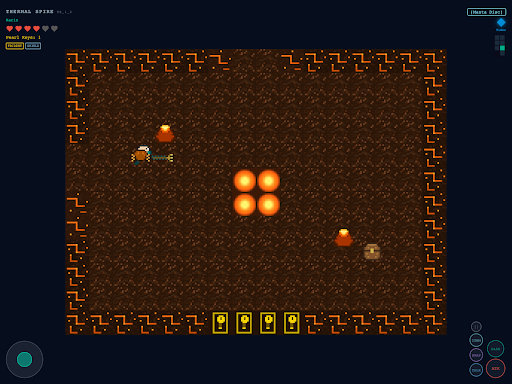
Dive into the underwater world of Tidal Relics! A top-down action-adventure game inspired by classic NES Zelda, set in a vibrant merfolk civilization threatened by a mysterious dark corruption.
Play as a merfolk scout armed with a golden trident and shell shield. Explore five unique underwater zones, battle corrupted sea creatures, solve puzzles, and recover three ancient Tidal Relics to restore balance to the ocean.
FEATURES:
- Classic top-down action-adventure gameplay with real-time combat
- Explore 5 diverse underwater zones: shallows, coral sanctums, abyssal depths, volcanic vents, and the final trench
- Battle corrupted sea creatures and epic boss encounters
- Collect powerful items: Manta Disc, Abyssal Lantern, and Tidal Cloak
- Upgrade your trident and shield as you progress
- Beautiful pixel-art world with rich NES-inspired aesthetics
- Touch controls optimized for mobile play
- Full keyboard and gamepad support on desktop
STORY:
The Ocean Heart sustains the merfolk world of Pearlhaven, but a dark force called The Current has begun corrupting the deep waters. The three Tidal Relics that anchor the Ocean Heart's power have been sealed away in dangerous dungeons. Venture into the corrupted zones, defeat their guardians, and confront the Abyssal Warden to save the ocean.
How to Download Tidal Relics APK
- Enter the package name
com.tmecham.tidalrelicson the APK Downloader. - Select your device architecture (ARM64 recommended for modern devices).
- Click Download to get the merged APK file.
- Transfer and install the APK on your Android device.
- Keep Updated: Visit APKDER.COM regularly to search for and download the latest secure versions of your favorite apps.
Frequently Asked Questions
Yes! Every APK download provided by APKDER undergoes rigorous security verification. We verify that the cryptographic signature of the APK file matches the official signature from the developer, ensuring the APK is original, untouched, and free from any modifications.
To install it, you first need to enable "Unknown Sources" in your Android device's security settings. After downloading the APK file from APKDER, tap it to begin the installation and follow the on-screen prompts.
Yes! As soon as the developer releases a new version of Tidal Relics, we will update and provide the updated APK on APKDER. You can simply download and install the new APK over the existing installation without losing your app data.
Yes. APKDER allows you to bypass geographic restrictions and download official APK files directly, even if the app or game is not officially available in your country's store.
A standard APK is a single installation package. An XAPK or Split APK contains multiple resource files (like OBB expansions or device-specific layout parts) packaged together. To install them, you can download splits individually or use dynamic helper tools like Split APKs Installer (SAI).
Security & Signature Verification
This APK download is 100% safe. We verify that the cryptographic signature of the file matches the official developer credentials. No modifications or adware are injected.


